

Azure AI Invoice Processing: What Finance Must Build Around It
Azure can turn supplier invoices into structured data. The buying decision is whether your team can own the validation, exceptions, and ERP workflows that turn that data into approved payables.
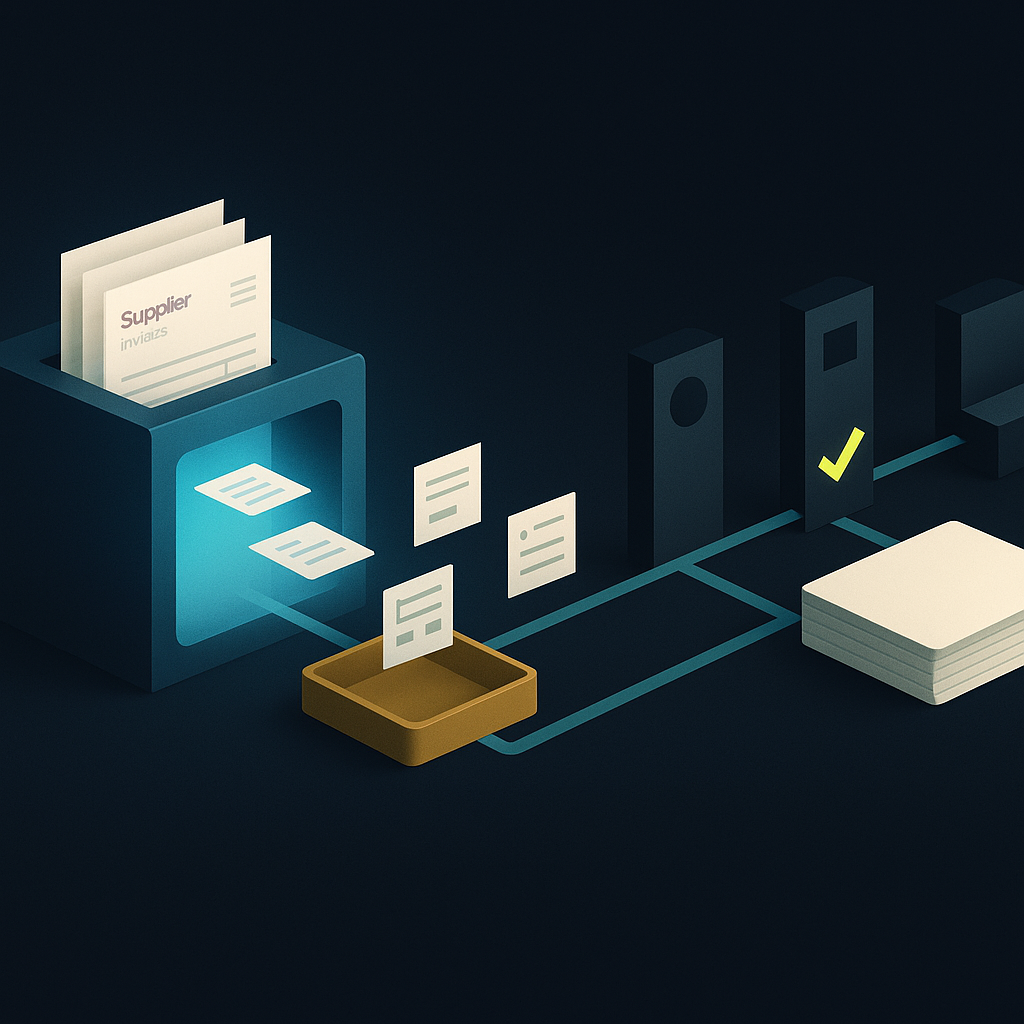
Azure AI invoice processing uses Azure AI Document Intelligence to extract structured fields and line items from invoice PDFs and images. Its prebuilt invoice model can reduce manual entry, but the extraction service alone does not provide a complete accounts payable operation. Supplier validation, matching, approvals, ERP posting, and payment controls require surrounding applications and workflows.
For a mid-market finance team, the decisive question is not simply whether Azure can read an invoice. It is whether your organization should build and maintain the operational layer around that reading capability—or buy that layer as part of an AP platform.
What Azure provides out of the box
Azure AI Document Intelligence, formerly Azure Form Recognizer, offers prebuilt and custom document-processing models. Microsoft's Document Intelligence model overview describes the prebuilt invoice model and its support for extracting invoice information, including customer details, due dates, amounts, and line items.
The prebuilt-invoice model is the logical starting point for a pilot. It provides a Microsoft-defined field schema rather than requiring your developers to design an extraction model from scratch. Typed outputs help downstream systems handle dates and monetary values consistently.
However, a correctly typed field is not necessarily a correct business fact. A date can be parsed successfully but belong to the wrong field. An accurately extracted supplier name may not identify the correct vendor record or legal entity.
Custom models are an option for documents that prebuilt models do not handle adequately. Use them when testing reveals a repeatable extraction problem—not as a default response to missing purchase orders, inaccurate vendor records, or unclear approval policies.
Define the boundary between extraction and AP automation
An Azure-based implementation can use Logic Apps or Power Automate to coordinate intake and downstream actions. Those orchestration tools still need business rules, access permissions, exception handling, and integration logic.
The following responsibility map is a proposed operating design, not a list of capabilities automatically included with the invoice model.
| Stage | Azure extraction contribution | What must surround it | Suggested accountable owner |
|---|---|---|---|
| Invoice intake | Analyzes submitted documents | Mailbox, attachment, and intake controls | AP operations |
| Field capture | Returns invoice fields and line items | Field checks and correction interface | AP systems |
| Supplier identification | Extracts supplier information | Vendor-master and entity resolution | Master-data team |
| Invoice matching | Supplies extracted values | PO, receipt, tax, and tolerance rules | AP and procurement |
| Approval | No spending authority | Approval matrix and delegation controls | Controller |
| ERP posting | Supplies data for integration | Posting logic, retries, and acknowledgments | ERP team |
| Payment release | No payment authorization | Verified payee details and release controls | Treasury |
This boundary matters when comparing Azure with accounts payable automation. An extraction API and an invoice-to-payment application are different purchasing units. Compare the complete operating scope rather than their headline prices.
Design the Microsoft workflow around durable states
Capture documents without losing their identity
Assign an intake identifier when an invoice arrives. Retain the original document, source channel, receipt timestamp, and processing status. Send the document for analysis and associate the returned result with that identifier.
Keep technical retry detection separate from business duplicate detection. Resubmitting the same attachment after a timeout should not create a second work item. Conversely, an invoice resent as a different scan may still represent the same payable. The latter requires duplicate invoice controls beyond file matching.
Validate before routing for approval
Use the extracted data to resolve the supplier and buying entity against approved records. Then check required fields, totals, currency, purchase-order references, and receipt information where applicable.
Separate extraction exceptions from business exceptions. An unreadable invoice number needs document review; an invoice that exceeds the remaining PO balance needs a purchasing decision. Combining both in a generic error queue obscures ownership and slows resolution.
Confidence scores can help prioritize review, but they should not grant spending authority. Set review rules by field risk and observed performance on your documents. A high-confidence amount still needs matching and authorization.
Make ERP posting safe to retry
Use explicit states such as received, extracted, validated, approved, posting pending, and posted. Record an ERP document identifier only after confirming acceptance.
A timeout is not proof that posting failed. Before retrying, check whether the ERP already created the payable. Where supported, use an idempotency key—a stable request identifier that prevents repeated submissions from creating duplicate records. Otherwise, build a reliable lookup and reconciliation step.
Preserve original extraction results separately from approved corrections. The audit record should show the source document, changes, approver decisions, and posting outcome—not just the final values.
If you use Dynamics 365, evaluate its application layer first
Dynamics 365 Finance users should distinguish a custom Document Intelligence implementation from Microsoft's packaged invoice-capture approach. Microsoft's invoice capture announcement describes AI-assisted capture within the broader AP process, including matching and exception handling.
That announcement is not evidence that every feature is available in your environment or license. Confirm current prerequisites, supported scenarios, configuration responsibilities, and the boundaries between capture and Finance workflows before commissioning a parallel build.
For other ERPs, test the actual posting interface early. Authentication may be straightforward while tax codes, dimensions, attachments, credit notes, or closed-period behavior become the real implementation constraints.
Where extraction must not become authority
Bank details deserve a separate control path. A Microsoft Q&A response about invoice bank-account recognition acknowledges that bank account numbers may not always be identified successfully. This is a support discussion, not a comprehensive accuracy benchmark.
Even perfect recognition would not establish that the account belongs to the approved supplier. Never let an invoice update payment instructions automatically. Treat new or changed bank details as a vendor-master change requiring independent verification.
Other important boundaries include:
- Tax: extracting a tax amount does not establish correct tax treatment.
- Language and layout: supported documents still need testing against your actual supplier mix.
- Access: permission to analyze an invoice should not also permit vendor changes or payment release.
- Retention and residency: verify the selected deployment, storage, access, and retention arrangements against your obligations.
Cost the workflow, not just the pages
Document Intelligence uses page-based billing, but extraction charges are only one component of an Azure implementation. Obtain a current quote for your region and configuration rather than treating an online unit price as an all-in invoice-processing cost.
Your business case should include:
- Extraction usage, including multipage documents and reprocessing.
- Workflow execution, storage, monitoring, and applicable connector or application licensing.
- Implementation and ongoing ERP integration maintenance.
- Exception-review labor and support ownership.
- Regression testing when models, rules, or ERP interfaces change.
Measure cost per successfully posted invoice alongside total AP cost through payment and reconciliation. Keep those denominators distinct. A cheaper extraction step can coexist with an expensive exception queue.
Also account for switching effort. An Azure build becomes harder to replace when extraction responses, workflow logic, identity, and exception screens are tightly coupled. Keep an internal invoice schema between the model output and the ERP to reduce that dependency.
A practical pilot checklist
Make the pilot an operational acceptance test, not an OCR demonstration.
- Select representative documents. Include different suppliers, languages, scans, credit notes, multipage invoices, and PO and non-PO scenarios.
- Establish expected outcomes. Define correct fields, required validations, exception owners, and acceptable posting behavior before reviewing results.
- Test failure recovery. Interrupt extraction and posting, resend attachments, and submit business duplicates. Verify that recovery does not create another payable.
- Exercise financial controls. Include missing receipts, ambiguous suppliers, changed bank instructions, and unauthorized approvers.
- Measure downstream work. Track field corrections, exception reasons, review effort, and successful ERP postings—not just extraction completion.
- Assign permanent ownership. Name who maintains workflows, monitors failures, approves rule changes, and supports AP during close.
Use the same documents and acceptance conditions when evaluating packaged software. The broader AP platform acceptance checklist can help structure that comparison.
Choose Azure when you can own what surrounds it
Azure AI invoice processing is a credible foundation when your organization needs tailored extraction and has the engineering and finance-system ownership to maintain the surrounding workflow. A packaged AP application deserves stronger consideration when the urgent problem is email approvals, exception handling, and disconnected payment execution.
The next step is to map responsibility from invoice receipt to ERP posting and payment. Then run the same exception-heavy pilot against each option. Choose the operating model that resolves the work—not merely the model that reads the document.
Created with AI assistance. Sources are linked in the article; this content is general information, not legal, tax, or financial advice.
Discussion
37 commentsRelated resources
Duplicate Invoice Detection: Evaluate the Control, Not the Alert
A duplicate alert is not the same as a prevented payment. Learn how to evaluate matching accuracy, exception handling, and payment-release controls before choosing AP automation.
Accounts Payable Automation Platform: A Buyer’s Acceptance Checklist
The right AP platform should reduce work across the invoice-to-payment cycle—not move it into another queue. Use this acceptance checklist to turn vendor demonstrations into a defensible buying decision.

Supplier Payment System: Define What Each System Owns
A supplier payment system should connect approved liabilities to controlled payments and reliable accounting. Before choosing software, define which system owns each record, decision, and exception.
Run your entire money cycle on one ledger
Global payouts, AP/AR automation, and AI agents with their own wallets and spend limits.
Get started
The responsibility map is helpful but it assumes you already have clean vendor master data and defined tolerance rules. In our case those foundational pieces were missing, so even perfect extraction just surfaced how broken our upstream processes were.
That's the reality check most teams miss during vendor demos. Extraction accuracy becomes almost irrelevant when you have duplicate vendor records, no tax validation rules, and approval thresholds that nobody can explain. We ended up pausing our Azure pilot to spend two months cleaning master data and documenting tolerances that should have been written down years ago.
That's the reality check most teams miss during vendor demos. Extraction accuracy becomes a distraction when you realize half your supplier records are duplicates or your tolerance rules are informal tribal knowledge that nobody documented.
The boundary between extraction and AP automation is exactly the right lens. Too many demos focus on OCR accuracy when the real cost is everything in columns three and four of that responsibility map. We estimated three FTE-months just to build the duplicate detection logic and approval routing for our Azure POC, and that didn't include ERP posting or payment controls.
We had a similar estimation shock. The duplicate detection piece alone required decisions about matching on invoice number vs. amount vs. date combinations, then handling re-scanned duplicates with different file hashes but identical business content. That logic ended up being more complex than the extraction itself.
Same here. We got extraction working in a few days but then spent eight weeks on the validation layer and ERP posting idempotency. The demo never mentioned that part.
The diagram showing what must surround extraction versus what Azure provides is worth printing out and bringing to any vendor kickoff. We had engineering sold on Document Intelligence because the extraction demo was clean, but nobody mapped out owner assignments for the validation and approval layers until we were already three sprints in.
The point about custom models not being the default response to missing POs or bad vendor records hit hard. We wasted a month tuning extraction when the real problem was that our procurement team wasn't enforcing PO creation for anything under $5k.
Same mistake here. We had extraction accuracy at 92% but invoices still sat in queues for days because no one knew which cost center to charge when there was no PO. The procurement process was the bottleneck, not the OCR.
Exactly this. We had a similar breakdown where AP kept asking for better extraction on freight invoices when the actual issue was no one had defined whether those needed POs at all. Fixed the policy in two days, avoided three months of model training we didn't need.
The staging table advice for idempotency is the right pattern, but in practice you also need a cleanup job for abandoned records when extraction fails before posting ever starts. We ended up with hundreds of orphaned stage rows from malformed PDFs and timeout retries that nobody owned until month-end reconciliation forced the issue.
We added a nightly reconciliation job that flags stage records older than 48 hours with no posted status, then sends a digest to AP ops. Helps catch the orphans but you're right that ownership is the real issue—our team still debates whether failed extraction cleanup belongs to IT or AP.
We added a scheduled job that archives or flags stage records without a posted state after 72 hours, but the bigger issue was figuring out who gets alerted. AP didn't want to own technical extraction failures, and our integration team didn't have context on which invoices mattered for close.
The Dynamics 365 caveat at the end is important. We spent three weeks scoping a custom Document Intelligence build before realizing Microsoft's native invoice capture was already included in our F&O license, just not turned on. Would have saved a lot of architectural debate if we'd confirmed that first.
We had the opposite problem—our D365 partner kept insisting the native capture would handle everything, but our multi-entity matching rules and tolerance configuration still required custom workflow extensions. The line between what's included and what you still build isn't always clear even after you confirm the license.
We hit a similar trap with SAP. Started building extraction connectors before discovering an existing OCR add-on in our contract that just needed license activation. Now I always check the ERP roadmap and existing modules before writing a line of code.
The idempotency key section is critical and often overlooked. We burned two weeks debugging duplicate payables in our ERP because Azure Logic Apps retried on timeout but our posting step had no request identifier. The vendor got paid twice before we caught it in reconciliation.
We avoided this by writing the request identifier to a staging table in our ERP before calling the posting API. If the Logic App retry happens, we check that table first and skip the post if the record already exists. Not perfect but it gave us a reliable guard without waiting for the ERP vendor to support proper idempotency headers.
We avoided this by adding a posting log table that records the request ID, timestamp, and ERP response before the actual journal entry call. If the Logic App retries, it checks that table first. Adds latency but saved us from the same double-payment scenario you hit.
The distinction between extraction exceptions and business exceptions is something we should have designed for earlier. Right now both land in the same Slack channel and it's impossible to tell whether AP or IT needs to act without opening each one.
We split ours into two queues after a similar mess. Extraction failures go to a shared inbox that IT monitors for model tuning, business rule violations route through the normal AP workflow tool with context about what failed. The key was adding enough metadata at the validation stage so the routing logic actually knew which bucket to use.
We solved this by routing to different Power Automate flows based on the error type. Extraction confidence below threshold goes to a document-review queue that IT triages. Business rule violations like missing PO or amount mismatch route to AP with context already attached. The separation made resolution time drop significantly because each team knows their queue actually needs them.
The responsibility map is useful but I'd add one more line: who owns the decision when extraction returns two different invoice numbers with similar confidence scores? We've seen this on scanned invoices where a PO reference and the actual invoice number both look like invoice IDs to the model, and there's no obvious system owner for that kind of ambiguity.
We built a tiebreaker rule that defaults to the field closest to the document header, then flags for review if both are in the top third. Not perfect but it cut our manual queue by about half on those cases.
We route that scenario to AP operations for manual selection, but you're right that it needs an explicit owner in the design. The article's point about separating extraction exceptions from business exceptions applies here—this is an extraction problem, not an approval decision, so it shouldn't land in a controller's queue.
The confidence score warning is spot on. We made the mistake of treating high confidence as implicit approval and ended up posting duplicate invoices because the vendor used different remit-to addresses on otherwise identical documents. Confidence tells you the extraction worked, not that the invoice is valid.
We learned the same lesson with a supplier that moved to a new billing system mid-year. Same vendor record, same line items, different document layout and invoice numbering scheme—high confidence on both, and our first version had no cross-field business rule to catch it.
We had a similar blind spot. High confidence on extracted amounts meant nothing when the invoice was a revised version the vendor sent with the same number but different line items. Now we flag any duplicate invoice number for manual review regardless of confidence, and check remit-to separately as part of supplier resolution.
One thing missing here is how you handle invoices that reference multiple POs or split across cost centers. The prebuilt model extracts line items fine but matching logic gets complicated fast when one invoice line needs to hit three different GL accounts with different approvers. Did anyone here solve this without custom code?
We handled this by enforcing a rule that multi-PO invoices get split at submission, but suppliers hated it and compliance was maybe 40%. Ended up building a line-level approval queue where the system routes each cost center portion to the right approver, then reassembles for posting. Works but adds two days to cycle time.
We ended up pushing that complexity upstream into the approval matrix itself. If the invoice references multiple POs, the system routes to a single approver with authority over the highest-value line, and they own the split decision. Not elegant, but it kept the matching logic from becoming unmaintainable.
The durable state map in the workflow section is exactly what we learned the hard way. We built our first Azure DI pilot without explicit state tracking and ended up with invoices stuck in limbo after ERP timeouts. Nobody could tell if a payable existed or not. The idempotency advice should be in bold—most ERP APIs don't give you this for free and you will post duplicates if you rely on retry logic alone.
We had the same issue with NetSuite. The posting API would time out but sometimes the journal entry still got created. Built a reconciliation query that runs before every retry now, checks by vendor name, amount, and date range. Not elegant but it stopped the duplicate liability problem.
We ran into the same timeout limbo. The worst part was that our ERP team and AP team each thought the other was responsible for checking. Adding that explicit 'posting pending' state and a manual reconciliation query saved us from having to do month-end hunts through both systems.
Good framing on the build vs buy boundary. We evaluated Azure Document Intelligence last quarter and the extraction accuracy was solid, but when we scoped out the approval matrix, vendor master resolution, and exception UI our internal estimate went from two sprints to six months of eng time plus ongoing maintenance. Ended up being cheaper to pay for a platform that already solved those problems.
Six months sounds about right once you add the ERP retry logic and audit trail requirements. We ended up with a similar timeline and that was before scoping the payment file controls mentioned in the treasury section.
Same experience. The extraction piece was fast to demo but the vendor resolution alone took us weeks—our vendor master had duplicates, name variations, address mismatches. That cleanup became the real project before we could even touch approval workflows.