

Sage Supplier Payments: Native Tools, Add-Ons, and AP Fit
Recording a supplier payment in Sage is not the same as executing and reconciling it. Here is how to evaluate native workflows and add-ons against your actual AP requirements.
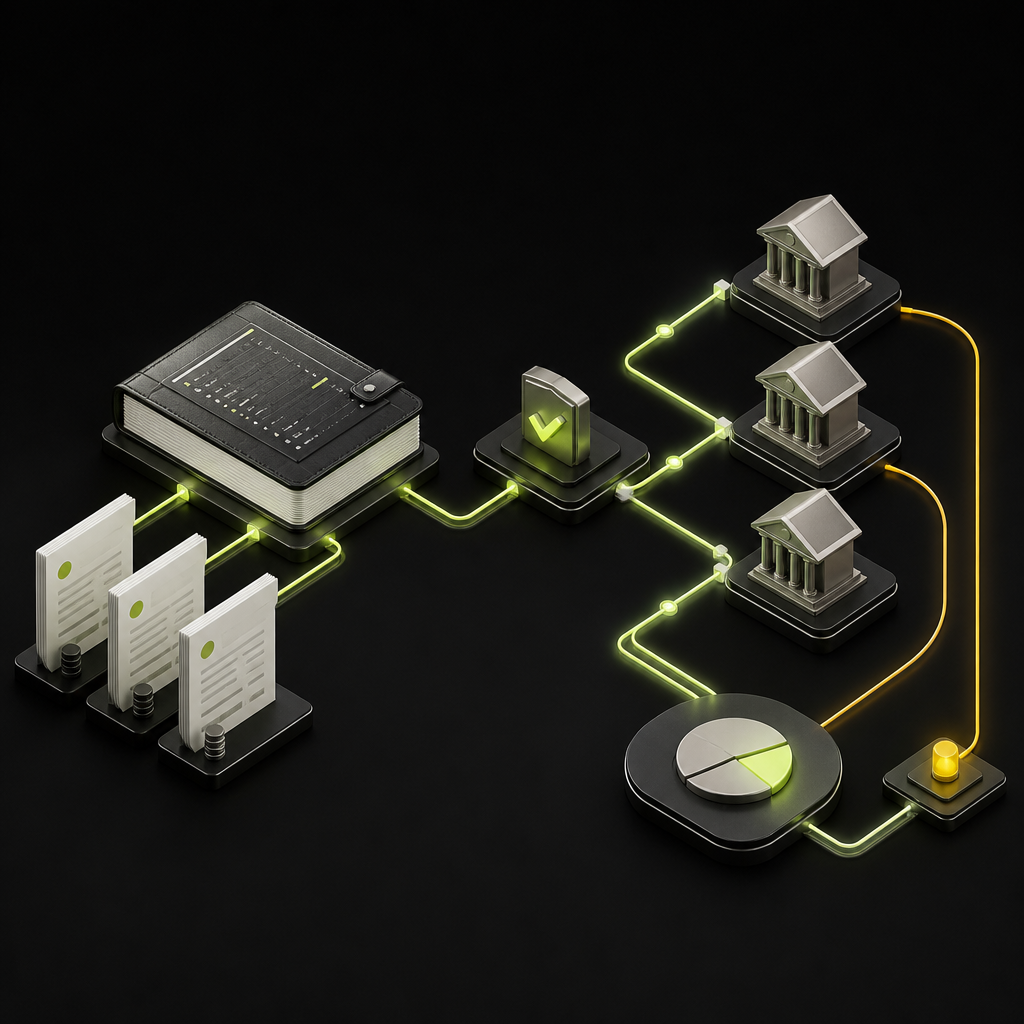
Sage supplier payments can mean recording and allocating payments in a Sage ledger, or sending money through an enabled payment service. The available workflow depends on your Sage product, regional edition, configuration, and subscriptions. Before comparing automation options, establish which system captures the invoice, authorizes payment, moves the money, and updates the ledger.
For mid-market finance teams, that distinction matters more than a broad claim of “Sage integration.” A solution may automate invoice entry while leaving payment release in a bank portal. Another may execute payments but require manual work to resolve returns. Buy against the gaps in your specific Sage workflow—not the product-family name.
Start with your Sage product and payment workflow
Sage 50: recording a payment is an accounting action
For Sage 50 Accounts users, Sage’s guidance on recording supplier payments and allocations explains how payments are applied to supplier balances. In the Supplier Payment workflow, users can allocate payments to outstanding invoices, including splitting an amount across invoices.
Do not treat that ledger entry as proof that a bank transfer was executed. If your team pays through a bank portal, it still needs a controlled connection between the approved invoices, the bank instruction, and the subsequent allocation in Sage. Procedures for Sage 50 Accounts should not be assumed to apply unchanged to every regional Sage 50 product.
Sage Intacct: distinguish invoice automation from payment execution
Sage Intacct’s accounts payable offering includes invoice automation and approval capabilities. However, automated invoice capture and coding do not, by themselves, establish which payment services are enabled for your organization.
MineralTree describes Vendor Payments embedded within Sage Intacct, allowing payment initiation from the ERP. Treat the embedded payment service as a separate scope item in procurement: confirm subscription requirements, onboarding, funding arrangements, supported methods, and regional eligibility rather than assuming core AP includes everything.
Other Sage products: verify the actual connector
For Sage 100, Sage 300, Sage X3, and other editions, ask for a capability demonstration against your installed version and modules. A connector that creates supplier invoices may not retrieve purchase-order receipts, synchronize bank-detail changes, or write back payment returns.
Document the connection method—API, SDK, managed connector, or file exchange—and its operating constraints. File exchange can be appropriate, but batch timing, acknowledgement handling, and duplicate-file protection become explicit responsibilities.
A current limitation: legacy CSI payment workflows
For US Sage Intacct users evaluating older documentation, Sage’s CSI service documentation states that Vendor Payments powered by CSI was retired on August 7, 2026. That retirement concerns the US service, which was restricted to US suppliers accepting USD; it should not be generalized to every regional Sage payment workflow.
If a proposal or internal procedure still references CSI, request an updated service map from your Sage account manager or partner. Confirm the available replacement, enrollment requirements, and how historical payment records remain accessible. Do not assume a newer payment service automatically inherits the previous configuration or supplier setup.
Choose the architecture that fixes your bottleneck
The following are editorial fit assessments, not vendor scores. The right choice depends on what is already working in your Sage environment.
| Approach | Best for | Editorial assessment | Key proof to request |
|---|---|---|---|
| Sage ledger plus bank portal | Simple, manageable payment runs | Limited automation; more handoffs | Approval-to-bank reconciliation |
| Intacct AP plus embedded payments | Teams prioritizing ERP-based execution | Strong fit when coverage matches | Enabled methods and return handling |
| Invoice automation connected to Sage | Capture and approval bottlenecks | May leave payment work untouched | Coding, matching, and write-back |
| AP and payment platform connected to Sage | Broader supplier or currency needs | Wider scope; more integration governance | Entity, currency, and status mapping |
An embedded workflow can reduce context switching, but it does not remove the need to validate coverage. A separate platform may handle requirements outside an embedded service’s scope, but introduces another system whose permissions and accounting behavior must be governed.
Keep the decision specific: are you replacing email approvals, bank-file preparation, payment execution, or the entire invoice-to-payment workflow?
Define the Sage-to-payment data contract
The most useful implementation document is a field-and-status map showing what each system owns. Require these elements before signing off on integration scope:
- Supplier identity: Preserve the Sage supplier identifier and legal entity. Do not match suppliers by name alone.
- Invoice identity: Carry the source record ID, invoice reference, currency, amount, and remaining balance.
- Accounting dimensions: Preserve required entity, department, location, project, and tax mappings where applicable.
- Payment allocation: Support partial payments, credit notes, and payments covering multiple invoices without losing invoice-level detail.
- Execution identity: Link the payment instruction and provider reference to the Sage records they settle.
- Status ownership: Specify which event means submitted, accepted, settled, returned, or cancelled, and what each event changes in Sage.
Also define retry behavior. If a request times out, the integration should check whether it succeeded before sending another instruction. Stable request identifiers and duplicate protection should prevent a technical retry from becoming a second payment.
When reviewing ERP integration options, request evidence for these behaviors against your exact Sage configuration. A logo on an integration page is not confirmation of supported objects, field mappings, or recovery behavior.
Keep invoice approval separate from payment authority
Approving an invoice establishes that the liability is valid. Authorizing payment establishes that a specific amount can leave a specific account for a verified beneficiary. Those decisions may involve different people and controls.
Build the invoice approval workflow around business ownership and accounting policy, then define release controls around bank accounts, entities, currencies, and amounts. A supplier bank-detail change after invoice approval should trigger a hold or renewed verification—not pass through because the invoice already has a green status.
Require independently verified bank-detail changes, separation between vendor maintenance and payment release, and a durable record of who authorized the final instruction. Where AI assists with extraction or coding, define which exceptions require human review before posting or payment.
Use a Sage-specific acceptance test
Ask shortlisted providers to demonstrate a representative payment cycle, including failure recovery. Use your invoice types and accounting dimensions rather than a generic demo company.
- Capture an imperfect invoice. Check supplier identification, invoice references, tax treatment, and routing of uncertain fields.
- Process a matching exception. Where purchasing is in scope, demonstrate how a missing receipt or price discrepancy blocks the appropriate action.
- Change payment details after approval. Confirm that the workflow requires verification before release.
- Pay partially and apply a credit. Inspect the remaining supplier balance and invoice allocations in Sage.
- Interrupt the connection. Demonstrate safe retry behavior without duplicate invoices or transfers.
- Return a payment. Show the exception queue, supplier notification, accounting treatment, and controlled reissue process.
- Reconcile the run. Trace bank activity through payment references to the affected Sage invoices, including separately charged fees.
Acceptance rule: every scenario needs a named owner, an expected Sage outcome, and evidence that an operator can retrieve. “The connector handles it” is not a test result.
Measure savings across the full AP workflow
Compare proposals using the same cost boundary. Include software, implementation, connector maintenance, payment charges, FX where relevant, supplier onboarding, and exception labor. Treat card rebates as conditional on supplier acceptance and program terms—not guaranteed savings.
For an internal baseline, calculate cost per completed invoice using the operating costs assigned to AP divided by invoices completed in the same period. Define whether payment and reconciliation costs are included, and keep that definition consistent across options.
Track capture corrections, approval intervention, manual payment preparation, and unreconciled items separately. As the guide to touchless invoice processing explains, automation needs a defined process boundary. An invoice can be touchless through posting while still requiring manual payment work.
Choose for your Sage environment—not a generic feature list
The strongest supplier payment setup preserves Sage’s accounting integrity while removing unnecessary work between invoice receipt and reconciled payment. Start with your edition, entities, currencies, supplier methods, and exception patterns. Then require proof that the proposed workflow covers them.
If you are considering a broader invoice-to-payment platform, explore Payouts.com AP Automation and bring your Sage-specific acceptance checklist to the discussion. Confirm integration scope and payment coverage before committing; the goal is fewer manual handoffs without weaker financial controls.
Created with AI assistance. Sources are linked in the article; this content is general information, not legal, tax, or financial advice.
Discussion
3 commentsRelated resources

Touchless Invoice Processing: What It Really Means and How to Get From 0% to 80%+
Touchless invoice processing isn't a switch you flip — it's a rate you climb. Here's what it really means, how to measure it, and a step-by-step path from 0% to 80%+.
Invoice Approval Workflow: Build a Matrix That Holds Up
An effective invoice approval workflow defines who can approve, what evidence they need, and when approval must reset. Use this framework to turn an email-based process into enforceable rules.

Zimbabwe Supplier Payments in ZiG: An AP Control Guide
Zimbabwe’s ZiG supplier-payment directive concerns government procurement—not every private-sector invoice. Finance teams need transaction-level currency rules, funding checks, and settlement evidence before automating payment release.
Run your entire money cycle on one ledger
Global payouts, AP/AR automation, and AI agents with their own wallets and spend limits.
Get started
"A logo on an integration page is not confirmation" needs to be on a poster in every procurement office. We just went through vendor eval for AP automation and three vendors claimed Sage X3 integration but only one could actually demonstrate real-time payment status writes back to our specific modules and version.
The CSI retirement date shown is August 7, 2026 which I assume is a typo for 2024? Either way, appreciate the callout because we were definitely still referencing that in our internal AP procedures and had no idea it was discontinued.
The field-and-status map section is exactly the kind of contract we didn't define properly in our first integration attempt. We ended up with duplicate supplier records because the connector was matching on name string instead of preserving the native Sage supplier ID. Had to roll back and start over with a proper data dictionary before go-live.