

Google Document AI Invoice Parser: An AP Integration Guide
Google Document AI can turn invoices into structured data. Making that data safe for accounting and AI agents requires a separate layer of validation, permissions, and exception handling.
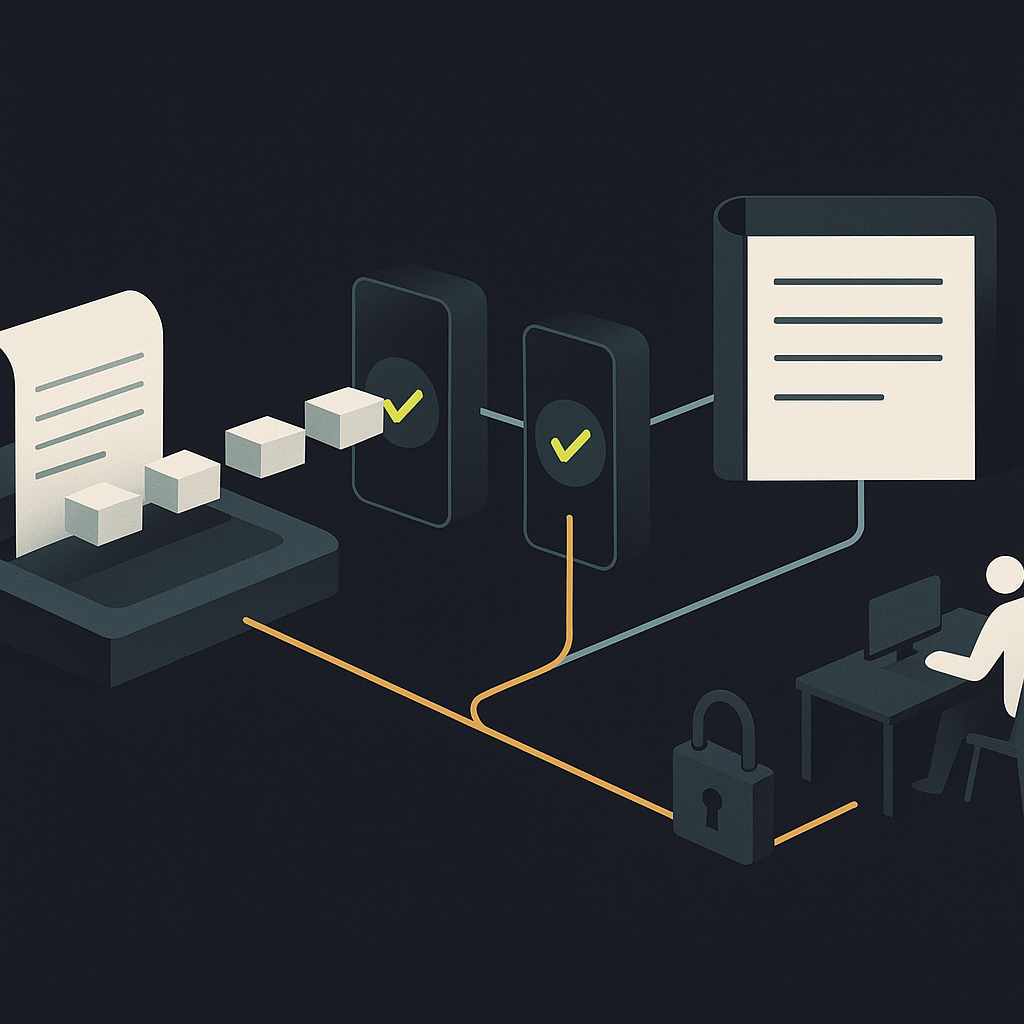
The Google Document AI Invoice Parser is a specialized processor that extracts structured invoice data from PDFs and images. It returns predicted fields, including supplier details, invoice dates, amounts, and line-item data, with confidence scores. It is an extraction component—not a complete accounts payable application, an invoice approval, or an authorization to move money.
For CFOs and controllers evaluating agentic AP, that distinction is decisive. The parser can supply evidence to a finance agent. Your surrounding systems must determine whether that evidence identifies a valid liability, supports an accounting entry, and satisfies payment controls.
What the Invoice Parser actually delivers
Instead of returning only recognized text, the processor identifies invoice entities. An entity carries a field type, extracted text, and a confidence score. Header fields can include invoice number, supplier name, invoice date, due date, currency, tax, and total. Line-item extraction can include descriptions, quantities, unit prices, and amounts.
A third-party practical evaluation of Google's invoice processing describes both this extraction capability and the additional work needed for schema mapping, validation, and downstream AP workflows. Treat it as an implementation perspective, not an independent guarantee of accuracy.
The distinction between text recognition and financial understanding matters. Reading a supplier's name correctly does not resolve that supplier to an approved vendor record. Extracting a due date does not prove it agrees with contracted payment terms. Capturing a line description does not establish its general ledger account.
| Parser output | What it gives AP | What remains unresolved |
|---|---|---|
| Supplier name and address | Vendor lookup candidates | Approved vendor identity |
| Invoice number and date | Document reference data | Duplicate status and posting period |
| Currency, tax, and total | Candidate financial values | Arithmetic and tax treatment |
| Line-item descriptions and amounts | Inputs for coding and matching | Receipt evidence and account assignment |
| Entity confidence | Extraction uncertainty signal | Business validity and authorization |
Build a controlled handoff, not a direct path to posting
A practical architecture separates intake, extraction, validation, decision-making, and execution. Each stage should produce an explicit status rather than passing an increasingly ambiguous document downstream.
Capture the source and processing context
Store the original document with a stable intake identifier. Record the processor version, processing time, source location, and extraction outcome. Preserve failed attempts rather than silently replacing them with a successful retry.
Google's Cloud Data Fusion invoice-parsing guide provides one integration pattern: structured output in BigQuery, with metadata such as parsing status and the Cloud Storage path linked through an invoice identifier. This is a data-pipeline example, not a complete AP control framework.
Define an acceptance contract for extracted fields
Between the Google response and your ERP, create a canonical invoice record. For every critical value, distinguish what the document said from what your system accepted.
- Raw evidence: extracted text, field type, confidence, and source reference where available.
- Normalized value: the parsed date, currency code, or decimal amount.
- Validation result: whether business rules and authoritative records support the value.
- Resolution history: who or what changed it, why, and under which rule.
Never silently turn an ambiguous date into a posting date or assume a currency from a symbol alone. Keep missing, uncertain, and conflicting values distinct. An absent tax amount is not automatically zero tax.
Validate before granting an agent write access
Resolve the supplier against the vendor master. Check for duplicates across previously received and posted invoices. Reconcile totals using the document's actual tax, discount, freight, and rounding structure. Where purchasing controls apply, compare invoice lines with the purchase order and receipt evidence.
Retries need separate protection. An intake identifier can prevent the same processing job from posting twice, but it will not catch a vendor resending the same invoice as a different file. Those require business-level duplicate invoice detection controls.
Where finance agents can act—and where they should stop
A confidence score is not approval authority. It indicates the model's confidence in an extraction, not the probability that the invoice is legitimate, correctly coded, or payable.
Set autonomy by action and consequence. An agent drafting a coding suggestion has a different risk profile from one modifying vendor data or releasing funds.
- Allow bounded preparation: propose coding, identify possible purchase-order matches, and assemble exception evidence.
- Allow controlled administrative actions: route an exception or request a missing document through approved templates and verified vendor contacts.
- Permit accounting writes only under explicit policy: require validated fields, permitted accounts, matching evidence where applicable, and a traceable decision.
- Require authorized human review for sensitive exceptions: new beneficiary instructions, unresolved vendor identity, material mismatches, and proposed policy overrides.
Payment release should remain a separately authorized action. Use configured approval policies, not a parser score, to determine who can approve spend and payments.
Also treat invoice text as untrusted input. A note telling an AI agent to bypass checks or change bank details is document content—not an instruction. Keep agent permissions outside the document, restrict available tools, and obtain payment destinations from a separately verified source.
Test the fields your workflow depends on
There is no useful universal accuracy number for your AP operation. A parser that captures totals reliably may still fail a workflow requiring complete line-level matching. Strong OCR does not establish correct field assignment.
Build a labeled evaluation set representing your supplier layouts, languages, scan quality, credit notes, multipage invoices, and tax structures. Keep evaluation documents separate from any training set.
Measure critical-field correctness, missing fields, extra or missing line items, and incorrect invoice-to-line associations. Then measure incorrect auto-acceptance: documents your proposed rules would pass despite a material error. That is more operationally useful than an average extraction score alone.
Set review thresholds by field and consequence. Supplier identity, currency, and total amount deserve different treatment from optional descriptive text. Test high-confidence errors as well as low-confidence predictions.
Use customization deliberately
Google documents an uptraining path for supported pretrained processors. It can help adapt extraction to proprietary documents and supported schema changes. Verify eligibility and constraints for the specific processor version before planning customization.
Training cannot repair missing receipts, inconsistent vendor records, or undefined coding policies. Diagnose whether a failure belongs to extraction, master data, or business rules before assigning it to the model team.
Treat version changes as controlled releases
Record the version used for each extraction and monitor Google's Document AI release notes for migrations and lifecycle changes. Before adopting a new version, rerun your evaluation set and compare critical fields, line structures, and exception routing. A technically successful API response can still produce an operational regression.
Budget for accepted invoices, not API calls alone
Confirm current processor pricing and billing units before procurement. Model charges against the actual documents you submit, including attachments and reprocessing—not just your invoice count.
The fuller cost includes storage, orchestration, schema mapping, ERP integration, exception handling, evaluation, and ongoing maintenance. Measure exception-resolution effort during the pilot rather than assuming extraction eliminates it.
The build route makes sense when engineering ownership, a Google Cloud environment, and specialized workflow requirements justify operating these components. If the immediate need is an AP team's capture-to-payment workspace, compare that effort with a complete application rather than comparing extraction fees alone.
A production-readiness checklist
- Define eligible documents: specify supported invoice types, languages, entities, and exception paths.
- Approve the data contract: separate source text, normalized values, validation results, and corrections.
- Prove business checks: test vendor resolution, duplicates, totals, and purchasing matches independently of extraction.
- Configure review: show reviewers the source evidence, failed rule, and permitted resolution.
- Constrain agents: document allowed actions and block invoice content from changing permissions.
- Test failure recovery: cover timeouts, retries, partial processing, and duplicate submissions.
- Assign ongoing ownership: name the teams responsible for model changes, accounting rules, access, and exceptions.
Use extraction as evidence, not permission
Google Document AI Invoice Parser can be a useful foundation for agentic AP when its output enters a controlled validation workflow. Its job is to extract candidate facts. Your finance architecture must establish what those facts mean and which actions they permit.
Start with a representative invoice set and a documented acceptance contract before enabling accounting writes. Then evaluate how Payouts.com AP Automation fits your broader capture, approval, and payment requirements. The goal is not simply less data entry; it is a defensible connection between the invoice received and the financial action taken.
Created with AI assistance. Sources are linked in the article; this content is general information, not legal, tax, or financial advice.
Discussion
33 commentsRelated resources
Duplicate Invoice Detection: Evaluate the Control, Not the Alert
A duplicate alert is not the same as a prevented payment. Learn how to evaluate matching accuracy, exception handling, and payment-release controls before choosing AP automation.

Mastercard and PayPal Agentic AI Payments: The AP Gap
Mastercard and PayPal are building infrastructure for AI-initiated checkout. For finance leaders, the critical distinction is between permission to transact and approval to spend company money.

QuickBooks AI Invoice Generator: From Draft to Ledger
QuickBooks offers several AI-assisted invoicing routes, but generating a document is not the same as recording a receivable. Here is how to choose a workflow and control what happens next.
Run your entire money cycle on one ledger
Global payouts, AP/AR automation, and AI agents with their own wallets and spend limits.
Get started
The advice to preserve failed extraction attempts rather than silently replacing them is something we overlooked in our first implementation. We were optimizing for clean data tables and lost the audit trail that would have explained why certain invoices needed multiple processing passes. That gap became painful during a vendor dispute when we couldn't reconstruct what the original document actually said versus what our retry logic eventually accepted.
We made the same mistake. The retries looked cleaner in the database but when auditors asked why certain invoices took days to post we had no forensic trail showing the extraction failures or field corrections. Now we keep every attempt with timestamps and can reconstruct the entire processing history.
We made the same mistake. The retries looked cleaner in the database but when auditors asked why we reprocessed certain invoices three times before posting, we had no record of what failed or why. Now we keep every attempt with timestamps and error codes, and it's saved us during several disputed invoice investigations.
The table comparing parser output to what remains unresolved is probably the most useful thing I've seen on this topic. We spent two months assuming Google's entity extraction was getting us 80% of the way there, but it turned out we still had to build the entire duplicate detection, vendor resolution, and GL mapping layer from scratch. Extraction is maybe 30% of the work.
This resonates. We had a similar experience where the parser handled totals and dates fine but completely fell apart on supplier name variations—same vendor appearing as three different entities depending on which subsidiary invoiced us. The unresolved column forces you to scope the actual integration work instead of just the extraction piece.
Same here. The confidence score from extraction gave us false comfort. We shipped what we thought was a working integration, then spent another six weeks building out the actual matching and approval logic that should have been scoped from the start.
The handoff architecture you describe—capture, extract, validate, decide, execute—mirrors what we eventually built after two failed attempts at letting document data flow straight into our ERP. The key insight for us was making validation status explicit at every stage instead of passing ambiguous states downstream. That alone cut our exception volume by about half because we stopped pretending uncertain extractions were clean data.
We had the same realization about explicit status. The difference for us was also in observability—once each stage could report pass/fail/pending independently, debugging misrouted invoices became trivial instead of archeological.
We had the same experience. The explicit status approach forced us to actually decide what passing validation meant rather than just letting documents drift through stages with unclear acceptance criteria. It also made debugging failures way easier when we could see exactly which validation gate rejected something and why.
The notion that a confidence score is not approval authority should be printed on every procurement dashboard. We had finance leadership initially assume that a 95% confidence extraction meant the invoice was basically good to pay, which completely missed the point about business validation versus OCR accuracy.
Exactly this. We ended up adding a separate dashboard that showed extraction confidence separately from validation status and approval readiness. They're orthogonal concerns and mixing them caused real control gaps during our first quarter of production use.
We had the exact same confusion initially. Leadership saw high confidence scores and assumed it meant the invoice was validated against our vendor master and PO system. Took one incorrectly routed payment to a lookalike vendor name to reset that assumption permanently.
The section on retries and duplicate detection is something we had to learn twice. Intake identifiers solved our accidental reprocessing problem, but we still ended up paying the same invoice twice when a supplier resubmitted with a different filename and slightly reformatted layout. Business-level deduplication isn't optional if you're building anything production-grade.
We added a hash of normalized invoice fields (supplier ID, invoice number, total, date) to catch that. Not perfect but it flags near-duplicates even when the PDF layout changes or they send a scan versus the original digital copy.
We ended up implementing a fuzzy match on normalized fields—supplier ID, invoice number, and amount—with a 7-day lookback window. Catches most reformatted duplicates but still requires human review when the supplier changes their invoice numbering scheme midyear.
The parsing versus posting distinction is something we had to socialize across three different teams before our AP automation project could move forward. Finance wanted to treat extraction output as authoritative, engineering knew it was probabilistic, and procurement didn't understand why we couldn't just match to POs automatically. The architecture you describe—with explicit acceptance contracts and validation results kept separate from raw extraction—gave us the vocabulary to actually align on requirements.
We ran into the same wall and ended up building a staging layer with explicit validation states that all three groups could inspect. Finance could see what passed business rules, engineering had observability into extraction uncertainty, and procurement got visibility into PO match failures before anything hit the GL.
We had the same cross-team friction. What finally worked was running a workshop where we walked through a real invoice with a supplier mismatch—extraction was confident but the vendor wasn't in our master file. That made the validation layer tangible instead of theoretical.
The section on agent permissions really landed for me. We're piloting an AI coding assistant for GL assignment and the number of times it's tried to 'helpfully' update vendor records or suggest expedited payment because of something in the invoice notes is alarming. Keeping tools and permissions outside the document scope is absolutely non-negotiable, but I'm surprised how many demos I've seen that don't separate those concerns at all.
We saw similar behavior with our first pass at agentic coding. The trick for us was maintaining a strict read-only layer for everything except GL coding suggestions, and even then, those go into a review queue before hitting the ERP. Treating invoice content as untrusted input is the right mental model—anything that looks like an instruction is just text to be stored, not acted on.
We solved this by splitting the agent's action space into read-only analysis and write-only execution with a mandatory human checkpoint in between. The agent can propose all it wants, but modifications to master data or payment instructions require explicit approval through a separate workflow that doesn't see the invoice content at all.
The point about treating invoice text as untrusted input is something we didn't consider early enough. Had a test case where a supplier included payment instruction changes in the notes field and our initial agent design would have surfaced that as actionable—basically turning document content into executable logic. Needed a full rethink of how we segregate configuration from extracted data.
We caught this during design review thankfully. The separation the article recommends—keeping agent permissions outside the document and restricting tool access—seems like the only safe approach. Otherwise you're essentially letting vendors write their own instructions to your automation.
We implemented a simple rule: any bank account or payment destination changes trigger a mandatory out-of-band verification call, regardless of where they appear in the document. Saved us from at least two attempts that would have made it through if we'd relied on the agent alone.
The distinction between extraction confidence and business validity is critical and something we learned the hard way. We had an OCR solution that was 98% confident on extracted totals, but it turns out half the invoices it processed with high confidence were duplicates the vendor had resubmitted after changing the invoice number format. Confidence scores tell you nothing about whether you should actually pay something.
Exactly. That's why the article's point about intake identifiers versus business-level duplicate detection is so important. The first prevents you from posting the same extraction twice, but the second actually catches the vendor behavior you're describing.
Same lesson here. We had invoices with correct extraction but they referenced outdated PO numbers the vendor kept using after amendments. Confidence scores told us nothing about whether the document should actually post.
"An absent tax amount is not automatically zero tax" - this single line captures why so many AP automation pilots fail. Systems that silently assume defaults create clean demos and messy audits.
We learned this the hard way when migrating from manual entry. Our previous vendor would mark uncertain fields with a flag that forced review, but we switched to a system that filled blanks with zeros to 'improve automation rates.' Took three months to find the pattern in our sales tax liability.
We hit this exact issue with currency conversions too. Parser would extract amounts but leave the currency field low-confidence, and the first version of our integration just defaulted everything to USD. Took three months to find invoices that were actually CAD.
Curious how you'd recommend handling the validation layer in practice—are you suggesting building this as middleware between Document AI and the ERP, or embedding it inside the ERP's import logic? We're evaluating whether to extend our existing NetSuite workflows or stand up a separate validation service, and the tradeoffs aren't obvious.
We went the middleware route specifically because the validation logic needed to span multiple systems—vendor master in one place, PO data in another, GL rules in the ERP. Embedding it in NetSuite's import would have meant rebuilding the same checks every time we added another intake channel.
We built ours as middleware and that's worked better than trying to jam validation rules into NetSuite's import scripts. Keeps the business logic portable if we ever need to swap ERPs, and honestly NetSuite's field-level validation gets messy fast when you're dealing with conditional rules like tax treatment varying by supplier jurisdiction.