

Supplier Payment Meaning: Terms, Accounting, and the AP Process
A supplier payment settles an obligation for goods or services, but it is not the same as an invoice or an accounts payable balance. Understanding the distinction helps finance teams automate the right steps without losing control.
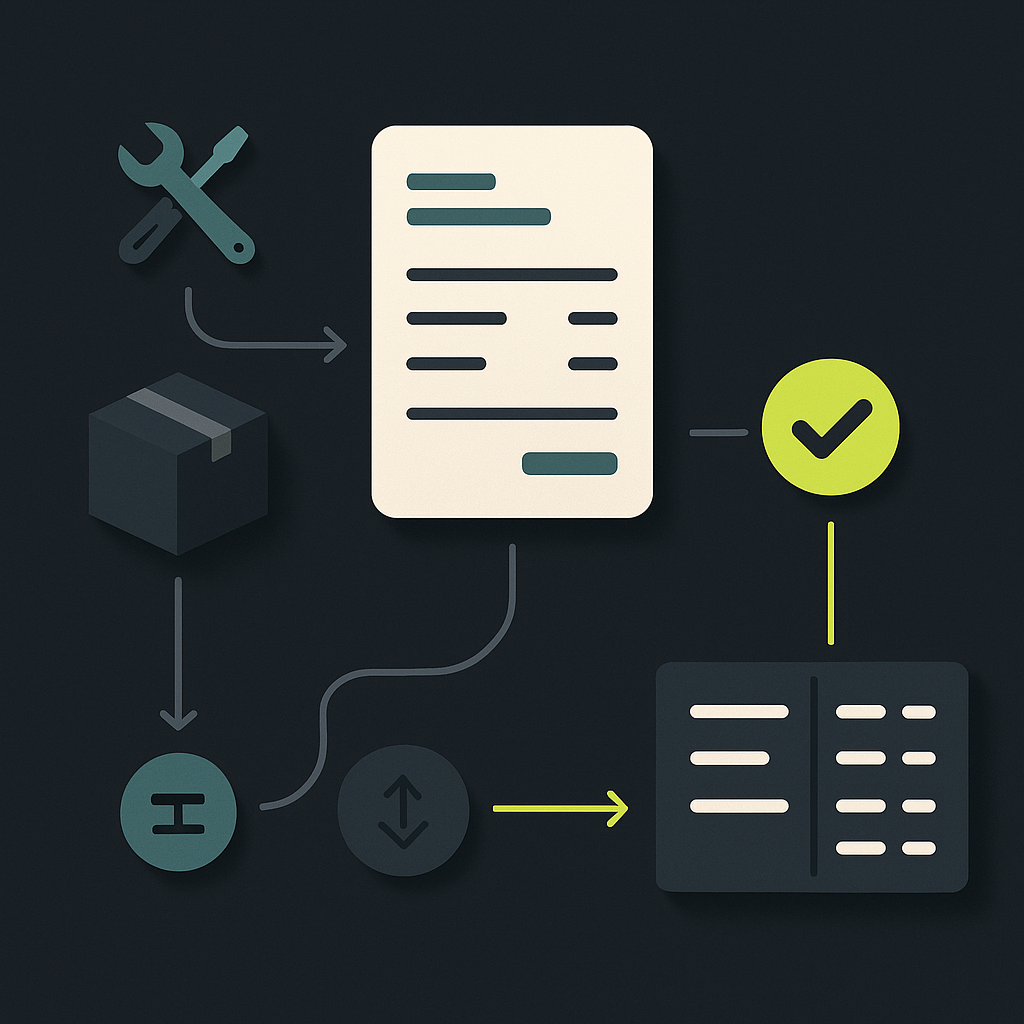
A supplier payment is money a business pays a supplier for goods or services. It can settle an outstanding invoice, fund an advance before delivery, or cover an agreed project milestone. Supplier payment and vendor payment generally mean the same thing.
In accounts payable, the term also describes the operational process surrounding that transfer: validating the invoice, approving the obligation, scheduling payment, sending funds, and reconciling the result. BILL’s explanation of supplier payments similarly places the transaction within the broader process of paying for business purchases.
For finance teams replacing email approvals and bank-portal payments, the important distinction is this: an approved invoice establishes permission to pay; it does not prove that payment occurred. Effective automation preserves that distinction while connecting the records.
Supplier payment vs. invoice vs. accounts payable
These terms describe different parts of the same purchase. Treating them as interchangeable creates confusion in cash forecasts, supplier communications, and month-end reporting.
| Term | Meaning | What it does not prove |
|---|---|---|
| Purchase order | A buyer’s order specifying the purchase | That goods arrived or payment is due |
| Supplier invoice | A supplier’s request for payment | That the charge is valid or approved |
| Accounts payable | A recorded obligation owed to suppliers | That a payment has been scheduled |
| Supplier payment | Funds paid against a purchase obligation | That every related invoice is fully settled |
| Remittance advice | A notice explaining payment allocation | That funds reached the supplier |
| Reconciliation | Matching payment activity to accounting records | That unresolved differences can be ignored |
A payment may cover several invoices. Conversely, an invoice may be settled through several payments, a credit note, or a combination of both. Your system therefore needs an explicit relationship between invoices, credits, and payment allocations—not just a supplier name and a transferred amount.
How supplier payments work in accounting
Under accrual accounting, recording a purchase and paying for it are separate events. AccountingTools defines accounts payable as obligations arising from purchases made on credit, generally reported as current liabilities.
For a straightforward credit purchase, the accounting treatment is:
- When the purchase is recognized: debit the appropriate expense or asset account and credit accounts payable.
- When the payable is settled: debit accounts payable and credit cash or the relevant bank account.
The payment does not create a second expense. It reduces the liability already recorded.
Hypothetical example: A company receives and accepts maintenance services, records the supplier’s invoice as an expense and payable, and pays later under the agreed terms. The later bank transfer clears the payable; it does not recognize the maintenance expense again.
Advance payments are different. Money paid before goods or services are received is generally recorded as a prepayment or supplier advance until the underlying purchase is recognized. Foreign-exchange differences, discounts, withholding, and payment fees may require separate entries. Exact posting timing and any payment-clearing accounts should follow the company’s accounting policy and applicable standards.
What supplier payment terms mean
Payment terms establish when money is due and any conditions governing settlement. They are not the payment method: “net 30” concerns timing, while “bank transfer” describes how funds move.
ProcureDesk’s payment-terms guide describes arrangements including net terms, advance payments, payment on delivery, and milestone-based payments. In practice, finance teams should capture the following distinctions:
- Net 30, net 60, or net 90: the balance is due within the stated number of days from the contractually defined starting event. Verify whether that event is the invoice date, receipt of a valid invoice, or another agreed trigger.
- Payment in advance: funds are due before delivery or service performance, creating exposure that purchasing and finance should assess.
- Payment on delivery: payment becomes due when the delivery occurs, subject to the agreement.
- Milestone payments: installments become due when specified deliverables or acceptance conditions are met.
- Early-payment discounts: a reduced amount is available if payment meets a defined deadline. Store the discount rate, deadline, and full-balance due date separately.
Do not let invoice extraction silently override negotiated terms. If an invoice conflicts with the supplier agreement, route the difference for resolution before calculating the payment date.
Also distinguish the contractual due date from the internal release date. Banking cutoffs, holidays, currency conversion, and the receiving payment network can affect when funds become available. Late-payment charges and other remedies depend on the contract and applicable law; they are not universal.
The supplier payment process, from invoice to reconciliation
Capture and validate the obligation
Capture the supplier identity, invoice reference, purchasing entity, currency, amounts, and terms. Check for duplicate invoices and confirm that the supplier record is eligible for payment.
Where purchasing uses purchase orders and goods receipts, match the invoice against those records. Service invoices may instead require contract checks and evidence of acceptance. Requiring a goods receipt for every invoice creates unnecessary exceptions; skipping acceptance checks for services creates a different control gap.
Approve the purchase and authorize payment
Route invoices according to responsibility, amount, entity, and exception type. Business approval confirms that the purchase is legitimate. Payment authorization determines whether funds may leave the account under treasury and payment-control policies.
Those decisions may occur in a connected workflow, but they serve different purposes. A documented invoice approval workflow helps clarify ownership rather than relying on forwarded emails.
Schedule and execute the transfer
Select the funding account, payment method, currency, and release date. Confirm that approved beneficiary details remain unchanged or that any changes have been independently verified.
Method selection depends on geography and supplier acceptance. In the United States, ACH is commonly used for routine domestic payments; wires may suit urgent or cross-border requirements. Cards require supplier acceptance, and checks introduce delivery and clearing considerations. Local alternatives vary by country. No method is universally fastest or cheapest.
Allocate and reconcile the result
Send remittance details identifying the invoices and credits covered. Match execution results and bank activity to the payment record, then apply the settlement to the correct obligations.
A rejected or returned transfer needs an exception owner. It should not disappear behind a generic “processed” label. Retrying also requires a check that the original instruction cannot still complete, helping prevent duplicate payment.
What the definition means for AP automation buyers
Supplier payment automation should connect the obligation to the movement of money. Invoice capture alone is not an automated payment process, and a bank upload alone is not automated accounts payable.
When comparing platforms, evaluate whether they preserve supplier, invoice, approval, payment, and accounting references across each handoff. This is the foundation of touchless invoice processing: eligible transactions proceed under defined controls, while exceptions reach the right person with supporting evidence.
Use this checklist in a product demonstration:
- Trace an ordinary invoice: follow its source document through approval, payment allocation, and ledger posting without rekeying identifiers.
- Introduce a discrepancy: change the invoiced quantity or payment terms and verify that the workflow pauses for a named owner.
- Apply a credit or partial payment: confirm that the remaining balance stays visible and supplier remittance remains understandable.
- Change beneficiary details: check whether independent verification and renewed authorization are required before release.
- Simulate a failed transfer: inspect the status, accounting treatment, notification, and controlled retry path.
- Inspect the audit trail: verify who approved what, which data changed, and which evidence supports completion.
Measure the full process, not just invoice extraction speed. For cost per invoice, define whether the calculation includes approval labor, exception handling, payment operations, and reconciliation. Otherwise, automation can appear successful while manual work simply moves downstream.
Start with a clear obligation-to-payment record
The supplier payment meaning is simple: money paid for goods or services. The operational requirement is more demanding—prove what was owed, who authorized it, what was sent, and how the result affected the balance.
Before selecting software, map those records for a routine purchase and an exception. Then evaluate Payouts.com AP Automation for connecting invoice capture, approvals, and payment within a broader financial operating system. The goal is less manual handling without losing the evidence that makes a payment explainable.
Created with AI assistance. Sources are linked in the article; this content is general information, not legal, tax, or financial advice.
Discussion
40 commentsRelated resources

Touchless Invoice Processing: What It Really Means and How to Get From 0% to 80%+
Touchless invoice processing isn't a switch you flip — it's a rate you climb. Here's what it really means, how to measure it, and a step-by-step path from 0% to 80%+.
Invoice Approval Workflow: Build a Matrix That Holds Up
An effective invoice approval workflow defines who can approve, what evidence they need, and when approval must reset. Use this framework to turn an email-based process into enforceable rules.

Supplier Payment System: Define What Each System Owns
A supplier payment system should connect approved liabilities to controlled payments and reliable accounting. Before choosing software, define which system owns each record, decision, and exception.
Run your entire money cycle on one ledger
Global payouts, AP/AR automation, and AI agents with their own wallets and spend limits.
Get started
The section on distinguishing advance payments from payables is good but I'd add one nuance: when a supplier advance is denominated in foreign currency, how do you handle revaluation between prepayment date and expense recognition? We've had auditors challenge both approaches—revaluing the prepayment asset each period vs. locking in the rate at payment and recognizing the full FX impact only when the expense hits.
We handle it the opposite way—treat the prepayment as monetary and revalue it each period, then reverse the cumulative adjustment when we recognize the expense. Creates volatility in the FX line but our auditors prefer it because the balance sheet position is current. The real mess is when you have a multi-period prepaid contract and only part of it gets recognized each month.
We treat the prepayment as a non-monetary item and don't revalue it—the FX gain or loss gets recognized when the invoice posts and we relieve the advance at the original rate. Our auditors were fine with it as long as we disclosed the policy and applied it consistently.
The point about verifying whether net terms start from invoice date, receipt of valid invoice, or another trigger is where most disputes actually come from in my experience. We had suppliers threatening to apply late fees when we were paying net 30 from receipt of valid invoice per the contract, but they were calculating from their invoice transmission date—which in one case was two weeks earlier because they sent a draft that failed validation.
The point about accrual accounting treating the payment as a liability reduction rather than a second expense is so obvious in theory but I still see this trip up people who come from cash-basis backgrounds or small businesses scaling into proper GAAP. We had a junior controller who kept questioning why our expense recognition didn't match cash out timing and it took sitting down with this exact diagram to get alignment.
We see this all the time with acquisitions too. Acquired company ran on cash basis and the first close cycle they want to book supplier payments as expenses even though the accrual was already recorded. Takes a full quarter sometimes to retrain the muscle memory.
We had the exact same issue during integration of a business unit that had been running QuickBooks on cash basis for years. The hardest part was explaining why paying down a $50K supplier balance didn't suddenly make the month look $50K more expensive. Eventually built a simple reconciliation report that showed the expense recognition date vs. payment date side by side, which helped.
The advance payment treatment is where I see the most errors in practice. Teams either expense everything on payment or try to accrue everything, and neither works when you have a mix of credit purchases and prepaid subscriptions or deposits. Would be helpful to see more on how to handle partial deliveries against an advance—do you release the prepayment proportionally or wait for full delivery?
We built a line-item attribute that flags whether it's prepaid or accrued, then route prepaid items to a supplier advance account until delivery confirmation clears them. The trick was getting procurement to actually mark deposits correctly at PO creation instead of leaving it for AP to figure out later.
We handle this with item-level coding at the line level. Each line on the invoice gets tagged as either expense or prepaid based on the GL account, and the system routes prepaid items through a different posting rule. Still manual tagging for now but at least it forces the conversation before posting.
The bit about not letting invoice extraction silently override negotiated terms hit home. We had OCR pulling '2/10 net 30' off PDFs and auto-calculating discount deadlines, but half our suppliers had Master Service Agreements with different terms entirely. Took us three months to realize we were losing negotiated net-45 windows because the system trusted the invoice over the contract.
We ran into exactly this. The fix was adding a supplier-level payment term override table that OCR results get validated against before any due date calculation runs. If there's a mismatch, it routes to procurement for resolution. Annoying to maintain but stopped the silent discount losses.
We ran into exactly this. The fix was adding a supplier-level payment term override table that gets checked before the OCR result is accepted. If the extracted terms don't match what's in the supplier master, it triggers a manual review queue. Cut our incorrect early-pay attempts by about 90%.
The distinction between business approval and payment authorization is something we're still working through internally. Right now our AP manager can approve invoices but then gets blocked at treasury for payment release, which creates confusion with suppliers when we say 'approved' but they don't see funds for another week. How are others structuring those two gates without duplicating the routing logic?
We had the same architecture issue. Built a separate allocation table that links payment IDs to invoice IDs with amounts, so treasury sees the full payment but AP tracks which invoices it covers. Cleared up most of the supplier communication problems because remittance advice now pulls from that allocation.
We split those roles into two separate approval nodes in the workflow. AP manager routes to 'approved for payment' status, then treasury has a separate queue where they can see business-approved invoices and apply payment control rules (cash position, fraud checks, entity limits). Suppliers only get confirmation after treasury releases it. Took some internal education but cut down the confusion.
The table distinguishing purchase order, invoice, AP, payment, remittance, and reconciliation is helpful. We're onboarding a new finance hire next month and I'm literally going to screenshot that section because it captures in six rows what usually takes three confused Slack threads to explain.
We did the same thing during our last AP system rollout. That table became part of our internal training deck because it forces people to stop using 'invoice' and 'payment' interchangeably, which was causing actual errors in our cash position reports.
We did something similar when migrating from our old ERP. Turned that section into a one-pager with actual example transactions from our system and it cut onboarding confusion by at least half. The remittance advice row especially—people assume it means payment cleared but it just means we told them what we think we paid.
The distinction between contractual due date and internal release date is something we're still wrestling with. Our treasury team schedules releases based on cash position, not invoice terms, which means we're often late even when AP thinks everything is on time. Would love to hear how others handle that coordination without giving AP direct control over the treasury calendar.
We had the same problem until we added a payment-schedule step that sits between approval and actual release. AP locks in the contractual date and treasury gets a 3-day window to optimize the batch. If treasury can't release within that window, it flags as an exception and goes to the CFO. Not perfect but at least now the delays are visible and someone owns the decision.
We had to split the workflow. AP owns the invoice approval and sets a 'ready to pay' flag based on terms, then treasury has a separate release calendar that pulls from that queue based on daily cash position and forecasted receipts. The payment date variance gets tracked as a KPI now so we can at least see supplier relationship risk building up when treasury holds things too long.
The point about payment covering multiple invoices versus one invoice paid across multiple payments is something we're dealing with right now during system migration. Our legacy AP module just stored a supplier balance and payment amount with no proper allocation table, so reconciling partial payments or grouping invoices into a single wire was a manual nightmare every month. We're finally building out a proper invoice-payment junction table but it means retraining the whole AP team on how to record splits.
We had the same architecture issue. Built a separate allocation table that links payment IDs to invoice IDs with allocated amounts, and it also handles credit memo offsets. The migration was painful but now we can actually trace every dollar and the supplier statements finally reconcile.
We had the same architecture issue. Built a separate allocation table that links payment IDs to invoice IDs with an amount field, plus a flag for whether the allocation was system-generated or manually adjusted. The manual flag saved us during audit because we could trace every override back to the AP team member and timestamp.
The 'payment does not create a second expense' point should be in bold at the top of every AP automation RFP. I've seen three different implementations that treated the payment run as a trigger to re-expense, and reconciliation was a nightmare every month until we caught it.
We caught this during UAT, thankfully. The vendor's default config had a payment journal template that hit the expense GL again. Turns out it was originally designed for petty cash reimbursements and they just repurposed it for AP without changing the logic.
We caught this during a post-implementation audit when month-over-month expense variances made no sense. The system was writing payment entries to the original expense GL code instead of clearing AP. Took six weeks and a consultant to unwind it.
The section on net terms is critical—we lost thousands in early payment discounts because our AP team was using invoice date as the baseline when contracts actually defined 'valid invoice receipt' as the trigger. Took six months to find that in an audit.
We had the exact same issue but it was even worse because half our invoices came through EDI with auto-populated dates that didn't match what was in the vendor master. Ended up building a separate field for 'terms baseline event' that overrides the system default.
We had the exact same issue but it was even worse because half our invoices came through EDI with auto-populated dates that didn't match what procurement had actually negotiated. Now we flag any invoice where the stated terms don't match the supplier master and route it for manual review.
I wish more vendors understood the prepayment vs. payable difference when they're billing milestones. We get invoices coded as 'due immediately' when the deliverable hasn't been accepted yet, then it becomes a mess of email threads instead of a simple three-way match. The table breaking down PO vs invoice vs payment vs remittance is going straight into our onboarding docs.
We solve this by requiring a separate acceptance workflow step before the invoice can even hit AP. Keeps the prepayment account clean and the vendor knows they're not getting paid until we sign off on the deliverable. Took some contract language updates but worth it.
This is exactly why milestone terms need to be captured in the system, not just on a PDF somewhere in procurement's folder. If your AP automation can't route based on acceptance status, you're just digitizing the email mess instead of fixing it.
Quick question on the FX treatment: if we're paying a EUR invoice from a USD account and the rate moves between invoice receipt and payment date, are you recording that difference at payment time or revaluing the payable balance each period? Our ERP does the latter but it makes variance analysis annoying.
We record it at payment time. Revaluing every period is technically correct under IAS 21 but we only do that for material balances at quarter-end. For operational AP the realized gain/loss hits when the payment clears, keeps the variance reporting cleaner even if it's not perfectly matched to the reporting period.
We record it at payment time. Revaluing every period is technically correct under IAS 21 but it creates noise in the P&L if you have hundreds of open payables across multiple currencies. We only revalue at quarter-end for reporting purposes.
The distinction between invoice approval and payment authorization is underrated. We started splitting those workflows last year and immediately caught two cases where someone with budget authority tried to expedite payments outside our treasury hold periods. Different gates, different controls.
We ran into the same thing but from the opposite direction—treasury wanted hold periods enforced at the banking layer, but that just created a pile of "approved but blocked" payments that nobody owned. Moving authorization upstream into the workflow made the queue actually manageable.
Same here. We ended up with budget owners who could approve unlimited amounts but treasury caps at 50k per day without a second signature. Caused friction at first but the separation has saved us more than once.