

Vendor Master Data Management: An AP Data Governance Guide
AP automation needs more than clean supplier records. It needs clear data ownership, controlled changes, and proof that every connected system is using the approved version.
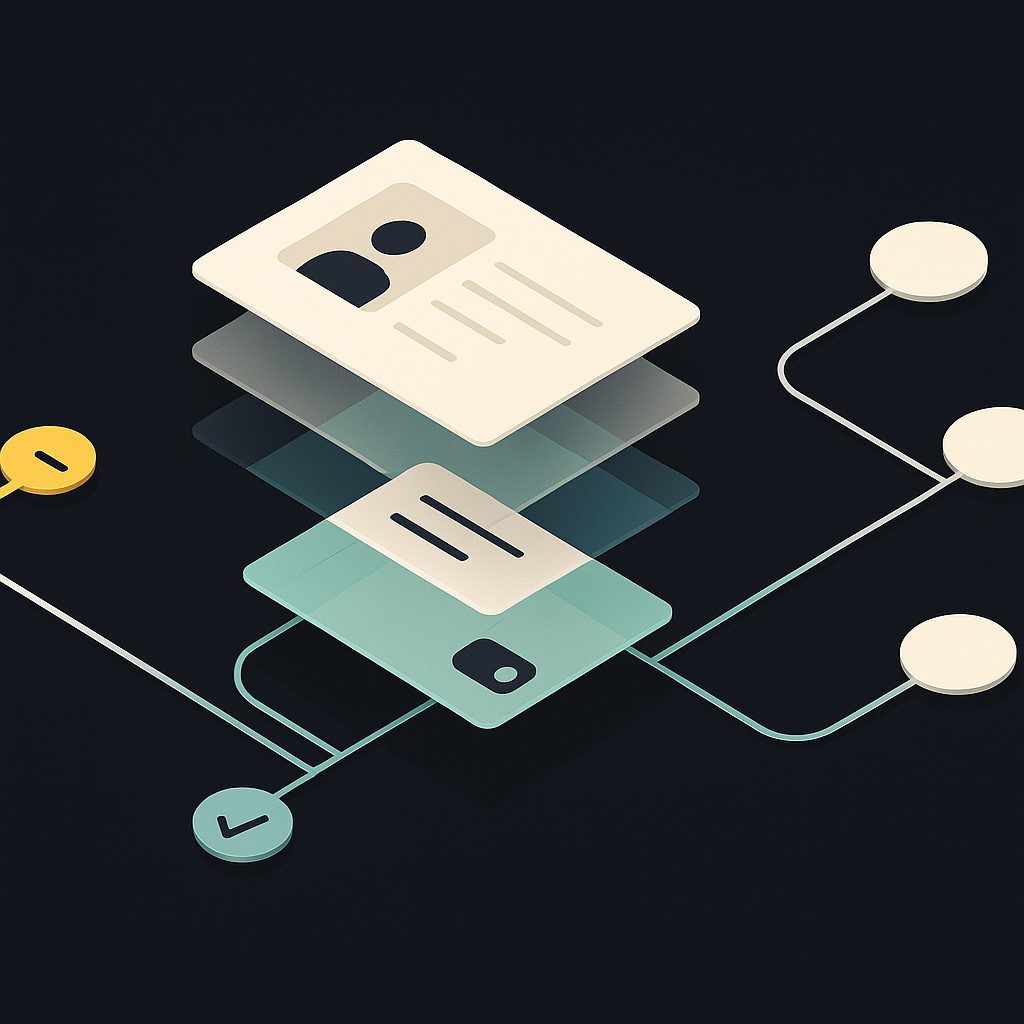
Vendor master data management is the discipline of creating, validating, maintaining, and retiring the authoritative records used to identify suppliers and transact with them. It covers legal identity, tax information, payment terms, banking instructions, entity relationships, and operational status.
For finance teams comparing AP automation platforms, the practical question is not simply whether software stores vendor details. It is whether those details remain trustworthy as suppliers change, employees edit records, and information moves between systems.
A useful buying principle: evaluate the vendor master as a governed data lifecycle, not an address book. A record can be complete but unverified, approved but unsynchronized, or accurate today but wrong for a historical transaction.
What belongs in the vendor master?
The master should connect supplier identity to the information AP needs for invoice processing and payment. Supporting documents may live in a secure repository, but the record should reference their verification status, owner, and relevant dates.
Ivalua’s vendor master data management guide describes the discipline in terms of data quality, governance, and connected procurement processes. For AP, those principles become specific field-level decisions:
| Data group | Typical fields | Suggested accountable function | Key validation |
|---|---|---|---|
| Legal identity | Legal name, registration ID, jurisdiction | Vendor data steward | Identity evidence and duplicate review |
| Entity structure | Parent, subsidiary, vendor sites | Procurement with finance | Contracting and invoicing entity alignment |
| Tax information | Tax classification, identifiers, form status | Tax or designated finance owner | Jurisdiction-specific documentation |
| Commercial settings | Terms, currency, purchasing entity | Procurement with AP | Approved contract or policy |
| Payment instructions | Beneficiary, account, rail, remit-to details | Designated payment-data owner | Independent verification and approval |
| Lifecycle and evidence | Status, restrictions, approvals, versions | Controller-designated steward | Eligibility rules and audit history |
These are suggested responsibilities, not a universal organizational chart. Smaller teams may combine roles, but sensitive changes still need independent review.
Separate the supplier from its payment destinations
A supplier can have several locations, currencies, or authorized bank accounts. Conversely, related companies can share an address or use a documented collection arrangement.
Model legal entities, vendor sites, and payment destinations separately, with explicit relationships. Do not create a new supplier identity merely to add another bank account. Do not collapse subsidiaries into a parent record just because their names are similar. Both shortcuts make matching, reporting, and payment eligibility harder to control.
Define ownership before choosing synchronization
A single source of truth does not necessarily mean every field lives in one application. The ERP might own accounting terms, a supplier onboarding system might collect documentation, and a payment system might maintain approved destinations.
What matters is having one authoritative owner for each field and an explicit publication process. A field-ownership register should state:
- Which system can originate and approve a change.
- Which roles can view or edit sensitive information.
- Which validation must pass before the change becomes active.
- Which downstream systems must acknowledge the update.
- What happens when systems disagree or synchronization fails.
Avoid unrestricted bidirectional editing. If both the ERP and AP platform can overwrite bank details, “last write wins” can replace an approved value with an older one.
Assign a business owner for disputed records. IT can resolve an integration failure, but it should not decide which supplier identity or payment instruction is commercially correct.
Build quality into the vendor lifecycle
Collect structured data without treating submission as approval
Use required fields and country-sensitive validation rather than email attachments that staff must rekey. A self-service vendor portal can provide an intake channel, but supplier-submitted information should enter a pending state rather than immediately overwrite approved records.
Collect only what the relationship requires. US tax documentation may involve Form W-9 or an appropriate W-8 form, depending on the payee and circumstances; it is not a universal global checklist. Screening and documentation requirements should reflect applicable jurisdictions, counterparties, and company policy.
Resolve duplicates before activation
Normalize names, addresses, and identifiers for matching while preserving original values. Compare several signals: legal identifiers, jurisdiction, addresses, bank accounts, and existing supplier relationships.
A shared address or account is a review signal, not proof of fraud or duplication. Require a steward to distinguish an actual duplicate from a legitimate branch, subsidiary, or collection arrangement.
When consolidating records, retain a cross-reference from retired IDs to the surviving identity. Preserve historical invoices, credits, purchase orders, and audit evidence. This also strengthens duplicate invoice detection, because the same supplier may otherwise appear under unrelated vendor IDs.
Treat changes as controlled events
A request to change a remittance email has different consequences from a request to change the beneficiary account. Classify fields by risk and route approvals accordingly.
Trustpair’s vendor data management guidance emphasizes validation and payment-fraud prevention. For bank changes, a practical control is verification through a previously established, independent contact channel—not the contact details supplied in the change request itself.
Store the previous value, proposed value, requester, evidence, verifier, approver, and effective date. Supporting bank documents can contribute evidence, but possession of a document alone should not establish authorization.
Retire records without deleting history
Inactivity should trigger review, not automatic deletion. Check open invoices, credits, disputes, contracts, and retention obligations before changing status.
Separate restrictions on new purchasing from restrictions on payment. A supplier may be closed to new orders while still owed an approved balance. Reactivation should follow a defined review rather than silently restore stale details.
Make record versions visible across systems
“Real-time integration” is not a sufficient acceptance criterion. Buyers should ask which version of a vendor record each system holds and whether that version is approved for the action being attempted.
Require stable vendor identifiers, version or change-event identifiers, effective dates, acknowledgments, and an exception queue. Repeated delivery of the same update should not create another supplier or apply a change twice.
When evaluating ERP and accounting integrations, test failed updates and delayed acknowledgments as carefully as successful synchronization. For critical payment fields, define when unresolved state must block release.
Hypothetical example: approved does not mean published
A supplier’s new bank account is independently verified and approved in the onboarding system. The ERP update fails, leaving the old account active there.
If AP checks only whether the supplier is “approved,” a payment run can still use the wrong destination. A stronger design records the new payment-instruction version as approved but not yet available in the required downstream system. Affected payments remain held until synchronization is acknowledged and their destination is revalidated.
Do not assume the old account remains safe merely because it was previously approved. Equally, do not silently rewrite an already prepared payment. Route it through an explicit revalidation process.
Use this checklist in software demonstrations
Ask vendors to demonstrate the following with sample records and inspectable evidence:
- Duplicate resolution: Identify a likely duplicate, retain legitimate entity relationships, and preserve historical references after consolidation.
- Field ownership: Reject or route an unauthorized update from a non-authoritative system.
- Sensitive-change separation: Prevent a requester from approving their own bank-detail change.
- Synchronization failure: Surface a rejected update, identify affected records, and recover without duplication.
- Historical reconstruction: Show which supplier details and approval evidence applied to a past transaction.
- Lifecycle restrictions: Disable new purchasing without accidentally losing visibility into outstanding liabilities.
- Access controls: Limit sensitive data exposure while allowing procurement and AP to perform their assigned work.
AI can suggest matches, normalize fields, and prioritize anomalies. Ask whether it proposes or executes changes. A plausible match should not automatically merge legal entities or authorize a payment destination.
Measure reliability, not just completeness
A fully populated record can still be wrong. Track quality measures with defined denominators and owners:
- Required-data completeness: Active records meeting requirements for their jurisdiction and transaction type.
- Unresolved duplicate backlog: Suspected duplicates, their age, and disposition.
- Change-control coverage: Sensitive changes with required verification and approval evidence.
- Synchronization exceptions: Approved updates awaiting acknowledgment, measured by age and affected activity.
- Vendor-data exception rate: Invoice or payment exceptions attributable to master-data issues, with consistent cause coding.
Track supplier-onboarding and maintenance effort alongside invoice-processing costs. Otherwise, apparent AP efficiency gains can simply shift manual work into another queue.
Make data governance part of the AP buying decision
Vendor master data management is an ongoing operating responsibility, not a cleanup project completed before automation begins. Start by mapping field ownership, resolving ambiguous identities, and defining how approved changes become usable downstream.
Then evaluate Payouts.com AP Automation against those requirements across invoice capture, approvals, and payment. Bring your field-ownership register and failure scenarios to the discussion. The relevant test is whether the workflow keeps using the right supplier record—not simply whether it processes an invoice quickly.
Created with AI assistance. Sources are linked in the article; this content is general information, not legal, tax, or financial advice.
Discussion
32 commentsRelated resources
Duplicate Invoice Detection: Evaluate the Control, Not the Alert
A duplicate alert is not the same as a prevented payment. Learn how to evaluate matching accuracy, exception handling, and payment-release controls before choosing AP automation.
Supplier Payment Terms: Negotiate, Govern, and Automate
Supplier payment terms are a commercial agreement, not just a due-date field. Learn how to negotiate workable terms and preserve them through invoice capture, approvals, and payment.

Supplier Payment Automation: Retire the Manual Payment Run
Automating invoice approval does not eliminate the manual payment run. Learn what finance teams should automate next—and how to prove the spreadsheet and bank-portal work can actually disappear.
Run your entire money cycle on one ledger
Global payouts, AP/AR automation, and AI agents with their own wallets and spend limits.
Get started
The recommendation to define ownership before choosing synchronization is critical, but in practice the hardest part is getting stakeholders to agree on the field-level ownership matrix in the first place. Procurement wants control over payment terms because they negotiate them, AP wants control because they process against them, and IT just wants one system to be authoritative so integrations don't break. How do you facilitate that conversation without it turning into a turf war?
We broke the logjam by starting with just payment instructions and tax IDs—the two field groups where nobody wants to own a mistake. Once we had those locked down with clear ownership and approval flows, it was easier to extend the same framework to the lower-risk commercial fields where procurement and AP were still arguing.
We solved this by forcing the conversation during vendor onboarding platform selection. Made each stakeholder group map their current responsibilities to the proposed data model before any technical demos. The friction was uncomfortable but it surfaced the real ownership gaps early.
The table breaking down data groups by accountable function is probably the most useful artifact in this piece. We're using it almost verbatim to map our current mess of overlapping responsibilities between AP, procurement, and tax. The one addition we made was a column for 'backup approver' because our tax lead is remote and changes can't sit for three days waiting for someone in a different time zone.
Good call on the backup approver column. We also added 'minimum approval threshold' because not every change to payment terms needs the same level of sign-off, and it was getting ridiculous routing a PO number update through the same chain as a beneficiary account change.
The point about not creating a new supplier identity just to add another bank account is something we violated constantly until we redesigned our vendor intake form. Now we have one legal entity record with multiple payment destination child records, and our duplicate detection false-positive rate dropped by about 60%. The hardest part was convincing AP staff that the extra click to select a destination was worth it.
Same here. The cleanup was brutal though—we had to write a script to identify likely duplicates based on tax ID and then manually review about 400 cases where the same entity had 3+ vendor records. Did you build any tooling to merge the historical transaction data or just leave it fragmented?
We did something similar but the harder part was retroactively cleaning up the mess. We had about 400 duplicate supplier identities created over three years, and collapsing them without breaking invoice history or PO references took us four months of manual reconciliation work.
The point about treating supplier-submitted information as pending rather than immediately overwriting approved records is critical but creates a workflow bottleneck if you don't have dedicated headcount. How are teams without a full-time vendor data steward actually triaging these requests without either creating a backlog or just rubber-stamping everything?
We use a risk-based escalation queue. Low-risk changes (remittance email, contact info) go to AP for same-day approval. Anything involving bank details, tax classification, or entity structure gets routed to a controller-approved list of reviewers based on spend tier. The key was setting up auto-approval rules for fields that genuinely don't matter and making the high-risk queue visible to leadership so resourcing gets attention when turnaround slips.
We route pending changes to whoever owns that supplier relationship in procurement, and they approve low-risk updates like contact info themselves. Bank account changes and new entity setups still require finance sign-off. It's not perfect, but it keeps most requests moving without hiring a dedicated steward.
The recommendation to model legal entities, vendor sites, and payment destinations separately is absolutely correct, but we've found that most ERPs make this unnecessarily painful to maintain. Our NetSuite instance lets us create child records for sites and contacts, but there's no native structure for linking multiple approved payment destinations to a single entity without either custom fields or creating pseudo-vendors. Has anyone found an ERP that actually handles this relationship model cleanly out of the box, or is everyone just building workarounds?
We ended up building a custom object in Salesforce to handle the entity-site-payment relationship and then sync only the final approved configuration back to NetSuite as flattened records. Not ideal, but at least we have one place where the relationships are modeled correctly and can enforce the approval workflow before it hits the ERP.
We ran into the same limitation and ended up using a custom table outside the ERP to manage the entity-site-destination hierarchy, then syncing only the active payment record back to NetSuite as the vendor's primary bank account. Not elegant, but it let us preserve the relationships for audit and fraud detection without fighting the native data model.
The field-ownership register concept is sound in theory, but I'm curious how you handle ownership transitions when systems get retired or replaced. We're migrating off a legacy procurement tool right now and trying to figure out which system should 'own' certain vendor fields during the transition period without creating a governance vacuum or duplicate approval workflows.
We treated the migration period as a temporary dual-ownership state with explicit cutover dates per field group. Tax fields moved to the new system first since they had the cleanest validation rules, then payment instructions after we ran parallel verification for 60 days. The key was documenting which system was authoritative for each field during each phase, not trying to flip everything at once.
We treated the migration period as a temporary dual-ownership state with explicit cutover dates per field group. Created a transition register that documented which system was authoritative for each field before, during, and after go-live. The new system became read-only for certain fields until the legacy sync was terminated. Main lesson: don't let 'transition' stretch indefinitely or you end up with permanent ambiguity.
The distinction between 'complete but unverified' and 'approved but unsynchronized' is really useful framing. We've been evaluating AP platforms mostly on feature lists, but this makes it clear we should be asking vendors much harder questions about their data governance model and how they handle the full lifecycle, not just the initial setup.
Exactly. We started asking our shortlist vendors to walk us through a scenario where a supplier changes their bank account while an invoice is in approval and a scheduled payment is queued. The ones who couldn't answer clearly or just said 'the system handles it' got dropped fast.
We did the same during our last RFP cycle. Asked each vendor to show us their change log structure, how they handle conflicting updates from integrated systems, and what happens when sync fails. Two vendors couldn't answer clearly and one didn't even track field-level history. That alone narrowed the field.
The 'last write wins' scenario you describe has bitten us twice in the past year—once when a supplier portal update overwrote an ERP-approved bank change, and once when an integration retry pushed stale remittance data back into NetSuite. We now version-stamp every bank record and require manual reconciliation when timestamps conflict, but I'm curious if anyone has a cleaner pattern for bidirectional sync that doesn't rely on humans catching the collision.
We went through similar pain and ended up implementing a similar versioning approach, but we also added a rule that any bank account change freezes payments to that vendor for 48 hours while finance manually verifies through a phone call to our procurement contact. It's manual but it's caught two fraudulent change attempts so far.
We had to do something similar after a fraudulent bank change slipped through during an integration hiccup. Now we flag any bank update that touches a record modified in the last 72 hours and hold it for manual review, which has stopped conflicts but created a backlog we're still working through.
The section on separating supplier entities from payment destinations is something we learned the hard way. We had AP analysts creating duplicate vendor records every time a supplier opened a new office or added a secondary bank account, which broke our spend reporting and made duplicate invoice detection almost useless. Took us six months to clean it up.
Same issue here. We ended up implementing a separate entity-relationship table that links a single supplier master ID to multiple site codes and payment profiles. Required a data model change in our ERP but it cleaned up reporting immediately and our three-way match logic actually works now.
We had the exact same issue. The real fix for us was locking down vendor creation permissions and requiring AP to route all new site or bank account requests through a central vendor data team. It slowed things down initially but the data quality improvement made duplicate detection and spend analytics actually usable again.
I appreciate the point about collecting only what the relationship requires, but in practice most procurement teams default to maximum documentation because audit once flagged a missing form. The real challenge is getting internal stakeholders to agree on risk-based requirements instead of treating every $500 vendor like a million-dollar supplier.
This resonates. We pushed back by creating a materiality matrix that maps documentation to actual payment and regulatory risk, not theoretical audit exposure. Took three months to get legal and tax aligned, but now we only require full W-8 series for cross-border payments above threshold or in specific categories. Still requires someone senior enough to own the decision when audit questions it.
We solved this by creating tiered documentation templates based on spend threshold and vendor type. Under $25k annually gets minimal treatment, strategic suppliers get the full package. The finance controller and procurement lead co-own the tiers and review quarterly. Audit has actually been fine with it because the logic is documented and consistently applied.
Question on the field-ownership register: how do you actually enforce it when your ERP vendor pushes updates that assume they're the system of record for everything? We've had NetSuite updates overwrite payment instructions that were supposed to be owned by our treasury workstation, and the only solution was turning off parts of the sync.
We ran into the exact same problem with our ERP. The only thing that worked was setting up a pre-sync validation layer that compares flagged fields against a frozen snapshot from the treasury system and kicks out exceptions to a manual review queue. It's messy and adds latency, but at least we catch overwrites before they propagate to the payment rails.
We hit this with Workday. Ended up implementing a scheduled reconciliation job that flags discrepancies and auto-reverts ERP changes to treasury-owned fields within an hour. Not elegant, but it's the only way to maintain field ownership when the ERP assumes it controls everything.