

Facebook Marketplace Payout Pending: When to Wait or Escalate
A pending payout is not proof that a bank transfer has started. Learn when to wait, when to act, and what evidence sellers and platform support teams need to resolve the next step.

If your Facebook Marketplace payout is pending, first check the order and payout records for an action-required notice, a release date, or evidence that the transfer has actually started. Pending alone does not tell you whether Facebook is waiting on delivery, reviewing your payout account, or processing a payment. Complete any explicit requirements through your signed-in account, then escalate if the displayed date passes without progress.
This guide concerns shipped orders paid through Facebook Marketplace's integrated checkout, where available—a model primarily associated with U.S. sellers. A local cash sale does not create a Meta-managed payout. Payments arranged through another service must be checked with that service. Facebook privacy-settlement payments and creator earnings are separate workflows.
For marketplace product and operations teams, the same problem carries a broader lesson: an ambiguous status creates support work. The useful question is not simply how long a payout takes, but what evidence determines who must act next.
What “pending” does—and does not—tell you
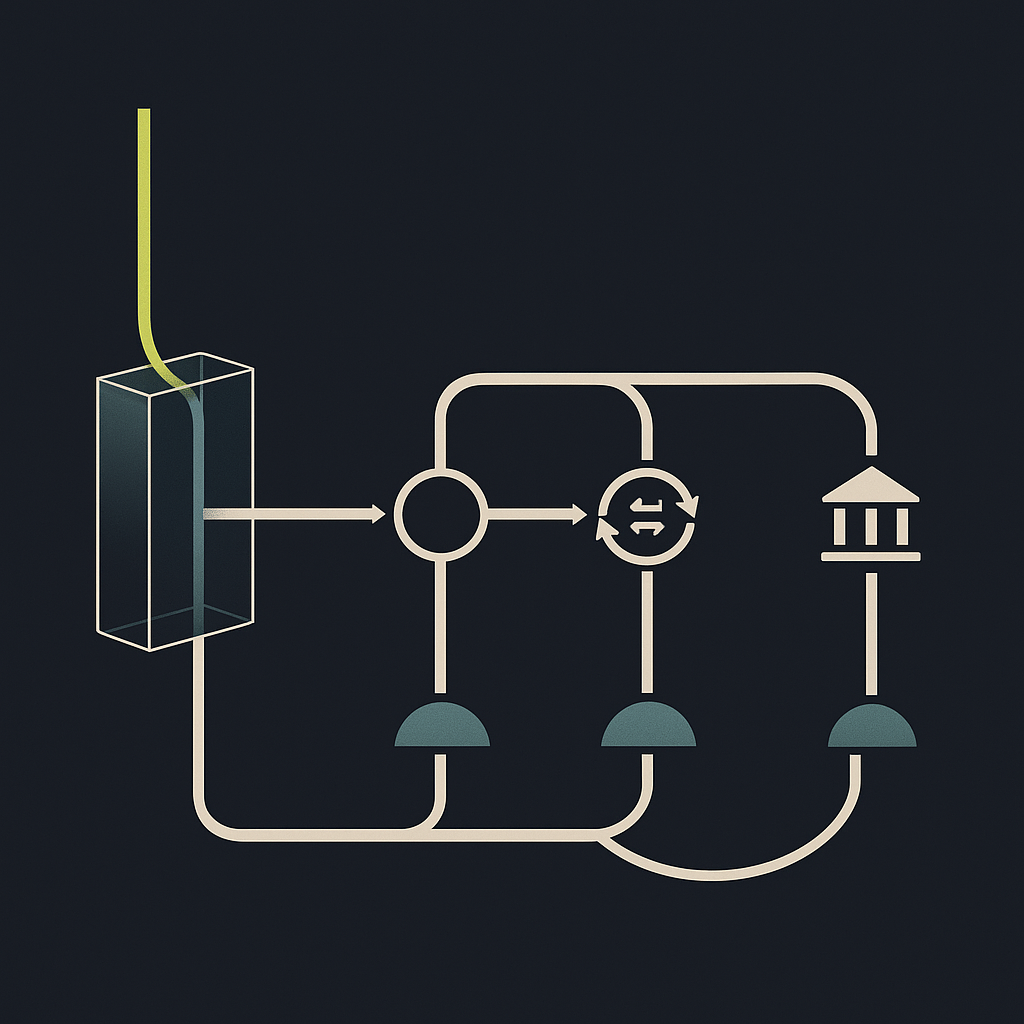
Think of a seller payout as separate events: the order becomes eligible for payment, the platform releases funds, a payment provider processes the transfer, and the receiving account is credited. A delay before release is different from a transfer that has already left the platform.
The third-party Hustle Got Real payout-pending guide identifies bank issues, transaction holds, tax requirements, and seller verification as possible causes. Those are troubleshooting categories, not proof of the cause affecting your account.
Read the exact wording beside your payout. Do not treat “pending,” “on hold,” “pending verification,” and “processing” as interchangeable. Likewise, completed identity verification does not establish that an independent bank-account or payout review has finished.
| What you can see | What remains unproven | Useful next step |
|---|---|---|
| Order delivered; payout pending | Whether release conditions are complete | Check payout notices and expected date |
| Action required or verification notice | Whether the account can receive payouts | Complete the specified requirement |
| Hold with a release date | Whether another restriction also applies | Record the date and remaining notices |
| Processing or transfer initiated | Whether the bank has credited funds | Find the transfer date and reference |
| Paid, but no bank credit | Destination and final receipt | Request transfer details for tracing |
| No payout record | Whether Meta handled the payment | Confirm the original checkout method |
This is an evidence checklist, not an official dictionary of Meta status labels. Interface wording and available payment features can vary.
When should you wait, act, or escalate?
Wait when there is a documented next event
Waiting is reasonable when the account shows an expected release or arrival date that has not passed, with no unresolved action required. Check whether that date refers to payout initiation or receipt in your bank account. Those are different milestones.
OneShop's older Marketplace shipping guide describes payout timing tied to delivery and tracking information. It helps explain why the sale date alone is an unreliable starting point, but it should not be treated as a current payment guarantee.
The available research does not include a directly retrieved official Meta policy page, and third-party timing descriptions differ. Use the current guidance shown inside your account and the Help Center reached from Facebook. Do not interpret an online day-count as an unconditional deadline covering reviews, disputes, or payment exceptions. Weekends and bank holidays can also affect bank processing.
Act when Facebook specifies a requirement
Look for requests concerning identity, tax information, or payout-account details. Follow the requirement actually shown; do not assume every seller needs the same document or tax form. Country, account type, and the applicable payment program matter.
Check that your payout destination and legal details are accurate. If something is wrong, correct it through the authenticated workflow. Avoid repeatedly switching accounts or resubmitting unchanged information as a troubleshooting tactic: it can complicate the review history rather than establish what happened.
Escalate when the next event is overdue or unexplained
Contact support when the displayed date passes without an update, a requirement cannot be completed, or a completed requirement leaves the payout blocked without an explanation. If no date is provided, ask what condition controls release rather than guessing how much longer to wait.
Ask the platform first if there is no evidence of a transfer. If a transfer has been initiated, obtain the destination details and a payment reference, if available, so the receiving institution has something concrete to investigate.
A checklist before contacting support
- Confirm the payment route. Establish that the buyer paid through Marketplace checkout rather than cash or a separate payment app.
- Record the exact status. Save the wording, the date you checked, and any expected release or arrival date.
- Connect the order to the payout. Capture the order identifier, payout identifier if available, amount, and currency. Note whether the payout includes other orders.
- Preserve fulfillment evidence. Keep the carrier, tracking number, and delivery event. Check whether Facebook's order record reflects that event.
- Check outstanding requirements. Record any identity, tax, account, or transaction-review notice and whether it is submitted or completed.
- Note relevant account changes. Include when payout details were last changed, if applicable. Do not make another edit merely to test the system.
- Check the destination safely. Compare masked account details and relevant bank activity. Never include passwords, one-time codes, or full bank credentials in a support message.
Open Facebook directly to access support and document-upload workflows. Do not send identity documents to unsolicited contacts offering to unlock funds.
A support request that asks an answerable question
My Marketplace order [order identifier] is linked to payout [identifier, if available]. The payout shows “[exact status]” as of [date]. The displayed expected date is [date, or none shown]. Tracking records delivery on [date], and my account shows [outstanding requirement or no visible requirement]. My payout details were last changed on [date, if relevant]. Has this payout been released? If not, what condition remains outstanding and who needs to act? If released, please provide the initiation date and an available transfer reference.
This separates a request to release funds from a request to trace funds already sent. It also reduces repeated exchanges about information you have already provided.
What platform teams should learn from pending payouts
The operational issue is not always slow money movement. Sometimes it is missing evidence at the handoff between order management, risk review, payments, and support. A seller sees one label while different teams own different conditions.
Make pending states explainable without exposing risk controls
A useful seller-facing status should communicate the current stage, whether action is required, the last meaningful update, and the next expected event. Platforms can disclose “account review in progress” without revealing fraud-detection rules. If an estimate is unavailable, say so rather than displaying an unsupported arrival promise.
Internally, maintain separate records for order eligibility, account restrictions, payment attempts, and receipt evidence. The distinction between a seller's entitlement and the movement of funds is also central to marketplace split-payment reconciliation.
Route support by the missing event
Use an explicit ownership model: fulfillment owns missing delivery evidence; compliance owns incomplete verification; payment operations owns release and provider exceptions; bank tracing follows evidence of an initiated transfer. For platforms evaluating tax documentation and identity-verification workflows, completed checks should remain distinguishable from unresolved payout restrictions.
Track time spent in each state rather than only total payout duration. Also distinguish cases requiring seller action from cases awaiting internal action. That makes it possible to improve the actual bottleneck instead of sending every seller the same “please wait” response.
Resolve the next event, not just the status label
A Facebook Marketplace payout pending message is a starting point, not a diagnosis. Confirm the payment route, preserve the exact status, complete visible requirements, and ask support whether the money is awaiting release or already in transit.
For platforms paying many sellers, the next step is to audit what recipients can learn from every pending state. When evaluating Payouts.com payout automation, include status visibility, exception ownership, and reconciliation in the requirements—not just payment-method coverage. Payouts.com does not resolve or release Facebook-held funds; the relevant application is building clearer payout operations on your own platform.
Created with AI assistance. Sources are linked in the article; this content is general information, not legal, tax, or financial advice.
Discussion
38 commentsRelated resources
Marketplace Split Payments: From Checkout to Seller Settlement
Splitting a checkout payment is only the start. Build a marketplace money flow that keeps seller entitlements, release conditions, FX, and refunds connected through settlement.

Do You Have to Pay to Be an OnlyFans Creator?
Starting an OnlyFans creator account is free, but earning revenue comes with a platform commission. Here is how to separate mandatory fees, optional business expenses, and the money that actually reaches your bank.

How to Withdraw Shopee Affiliate Commission: A Practical Guide
Receiving Shopee affiliate commission is not always a manual withdrawal. This Philippines-focused walkthrough explains payment setup, billing checks, and how to trace the money to your receiving account.
Run your entire money cycle on one ledger
Global payouts, AP/AR automation, and AI agents with their own wallets and spend limits.
Get started
The section on waiting vs acting vs escalating is more nuanced than most platform documentation. The problem is that the displayed release date often conflates 'we will initiate the transfer by this date' with 'you should receive funds by this date,' and sellers treat them identically. We've started asking for both timestamps in our onboarding forms because the gap between them drives half our support volume.
We did the same thing after too many reconciliation headaches. The problem is platforms change their estimated arrival windows without notice, so you end up maintaining two unreliable dates instead of one. Would rather have a single 'transfer initiated' timestamp with a reference number.
We've started surfacing both dates separately in our dashboard—estimated initiation and estimated arrival—but it required reverse-engineering each platform's actual behavior over months of transactions. The problem is platforms change their timing without notice and suddenly your estimated arrival is off by three days.
The recommendation to obtain a payment reference before escalating to the receiving bank is critical and often missed. We've wasted hours with our treasury bank trying to trace transfers that were never actually initiated because the seller didn't first confirm with the platform that funds had left their system. Without a reference number or at minimum a transfer date, the bank has nothing to look up.
Same experience. The number of times we've escalated to our bank with just a payout ID or order number—which means nothing to them—is embarrassing in hindsight. Now we don't open a bank trace until we have confirmation the transfer actually left the platform and ideally a reference number or ACH trace ID.
The advice to record the exact status wording and date before escalating is underrated. We track seller disputes and the number of 'it just says pending' tickets that come in with zero detail is staggering—no order ID, no timeline, no indication whether they even checked for an action-required notice. Forces support to start from scratch every time.
Same on our side. The worst part is when they escalate after multiple days but can't tell us if the hold was for verification, delivery confirmation, or just normal processing time. Makes it nearly impossible to triage without logging into their account directly, which creates its own compliance headaches.
Same on our side. The worst part is when they escalate after multiple days but can't tell you if the displayed expected date has even passed yet. We added a required field for 'status at time of inquiry' in our ticket form and it cut ambiguous escalations by about a third.
The 'separate events' framing is exactly right—order eligible, platform release, transfer processing, bank credit. Most sellers (and frankly some finance teams) conflate all four into one step and then can't articulate what they're actually waiting for when they escalate. Would be helpful if platforms exposed which stage a payout is actually in, but that requires them to instrument handoffs they don't always control.
Exactly. And when platforms don't surface a clear 'transfer initiated' timestamp or reference number, even an experienced AP team ends up stuck asking 'did you release it yet?' instead of 'can I trace this transfer?'
Would be helpful if platforms exposed those events as discrete API fields, not just collapsed into a single ambiguous status string. We end up parsing UI text and inferring state transitions from timestamp deltas, which is fragile and breaks whenever they redesign the seller dashboard.
The piece about 'pending alone does not tell you whether Facebook is waiting on delivery, reviewing your payout account, or processing a payment' hits on something we deal with constantly when building reconciliation workflows—platforms conflate internal workflow states with payment states, and that ambiguity cascades into support volume and delayed cash application. If you're designing a payout system, expose the substates or at least make the blocking condition explicit in the UI.
Exactly this. We see it upstream too when parsing settlement files—one column labeled 'status' that could mean order status, fraud review, hold reason, or actual payment state. The table in the article splitting 'what you can see' from 'what remains unproven' is basically the mental model we have to enforce in our ETL layer because platforms won't do it.
Same problem here. We ended up treating every platform status as opaque and only trust explicit state transitions we can verify—like a transfer reference appearing or the actual credit hitting the ledger. Anything short of that gets bucketed as 'unknown, still on platform' for reconciliation purposes.
The recommendation to capture the exact status wording and date checked before contacting support is something we should enforce internally. Our AR team wastes hours going back and forth with sellers who screenshot 'pending' three days apart and expect us to know what changed. If we required this evidence checklist upfront it would cut at least one round trip on 60% of escalations.
We took it a step further and built a templated form that pre-populates required fields—order ID, status exact text, timestamp, tracking number—before the seller can even submit a ticket. Cut our median resolution time by about 40% in the first quarter after rollout.
We did something similar after our finance team got tired of chasing incomplete tickets. Now sellers can't submit a payout inquiry without filling structured fields for order ID, status label, and timestamp. Cut our average resolution time by about 40% just by forcing the evidence collection upfront.
The evidence checklist is useful, but in practice the real blocker is that most marketplace APIs don't expose the granular status fields that would let us programmatically distinguish between a hold awaiting seller action versus a transfer already in flight. We end up scraping UI screenshots from sellers or waiting for manual confirmation, which defeats the point of automation.
That's exactly the gap. We hit this when onboarding sellers who use multiple platforms—they expect us to tell them why their payout is stuck, but we're looking at the same vague 'pending' label they see. Without a structured status taxonomy in the API response, every escalation requires manual triage.
Agreed, and the lack of a standard payout event schema across platforms makes it worse. We handle about six different marketplaces and each one uses different terminology for essentially the same workflow state—one calls it 'processing' when funds leave their side, another uses 'processing' before release even happens. The article's point about not treating those labels as interchangeable is spot on, but without API-level clarity we're stuck building custom parsers for each platform.
The checklist before contacting support is the only part of this article that's actually actionable for ops teams. Everything else assumes the seller has time to decode ambiguous UI states and can tell the difference between platform hold vs bank delay, which in practice nobody can without already knowing the answer. What I'd want to see is which specific error codes or status strings actually map to 'wait' vs 'escalate now' because that's the decision tree we need to automate.
Fair point, but the distinction between platform hold vs bank delay is something support needs to triage before routing the ticket. If the seller can at least bring the exact status text and whether a transfer reference exists, that cuts one round-trip out of the investigation.
The table in the middle does exactly that—it maps observable states to the next step and what still needs verification. The problem is that Facebook's actual UI doesn't consistently surface those distinctions, so you still end up calling support to find out if 'pending' means platform hold or already in transit.
The warning about not repeatedly switching accounts or resubmitting unchanged information is something we learned the hard way. Had a seller who kept updating their bank details thinking it would force a refresh, and it just triggered additional compliance reviews that delayed the payout by another two weeks.
We've seen the same pattern. The irony is that the seller thinks they're being proactive, but what actually helps is leaving the details stable and just documenting the timeline with screenshots. Once a review is triggered, changing inputs mid-process just resets the clock.
We've seen the same pattern. The irony is that the seller thinks they're being proactive, but every edit creates a new audit trail entry that has to be reviewed. Now we tell sellers to submit once, document the timestamp, and then wait for a response before touching anything again.
The point about not treating 'pending,' 'on hold,' and 'processing' as interchangeable is critical. We reconcile thousands of marketplace transactions monthly and the lack of semantic consistency across platform status values forces us to build custom mapping logic for every integration. Would save significant engineering time if platforms adopted a common taxonomy for payout lifecycle states.
We hit the same problem. The other issue is that some platforms don't version their status taxonomy, so when they introduce a new intermediate state or rename an existing one, your historical reconciliation logic quietly starts misclassifying transactions until someone notices the discrepancy in a month-end report.
We do the same thing. The worst part is that those mappings break silently when a platform updates their status labels without documentation or warning. We've had to add monitoring just to catch when a new variant appears in the reconciliation queue.
appreciate the table breaking out what you can see vs what remains unproven. we automate payout reconciliation for a few smaller platforms and the number of sellers who treat 'pending' as 'sent to my bank' is staggering
Same issue on our end. We built a status mapper that translates various platform states into one of four actual actionable states (awaiting release, in transit, settled, or investigate). Anything less than that and you get hammered with tickets from sellers who think their money left when the order shipped.
We see the same confusion upstream when sellers forward us screenshots labeled 'processing' but the actual bank transfer hasn't even been queued yet. The status vocabulary needs to be platform-specific or you're just building folklore into your exception handling.
The distinction between 'payout released' and 'transfer initiated' is something we wrestle with constantly when reconciling AR for our own marketplace. Too many sellers call us when the status changes but the money hasn't hit their account yet, and we're stuck explaining ACH timing. Would love to see Facebook expose the actual transfer reference number earlier in the process instead of making sellers escalate first.
Same issue on our end. We built a status mapper that translates various platform states into three buckets: awaiting release, payment in flight, or investigate with bank. Cuts support volume by about 40% but only works if the platform actually exposes transfer references consistently.
We ended up adding a second timestamp field in our schema specifically for 'initiated' vs 'available' so reconciliation doesn't depend on sellers interpreting status text. Still doesn't fix the support volume but at least our finance team knows what to expect.
This checklist approach is solid but it assumes the platform UI actually surfaces these states clearly. In my experience with marketplace integrations, half the battle is that the seller-facing dashboard shows one thing and the API returns different status codes entirely. Have you run into cases where the payout record just disappears from the UI during a review hold?
Exactly. We've seen situations where the seller portal shows 'pending' but the webhook payload has already marked it 'released' with a transfer_id. The reconciliation nightmare is real when you're trying to build automated payout tracking on top of inconsistent state propagation.
Yes, and it gets worse when you're reconciling across multiple marketplaces. We maintain separate mappings for each platform's status vocabulary because 'pending' on Facebook means something different than 'pending' on another platform's payout flow. The article's evidence table is useful precisely because it separates observable facts from interpretation.