

Supplier Payment Process: Build a Due-Date-Driven AP Operation
A supplier payment process should do more than move invoices through approvals. Build an operating model that connects every payable to an owner, a deadline, and evidence that it can move forward.
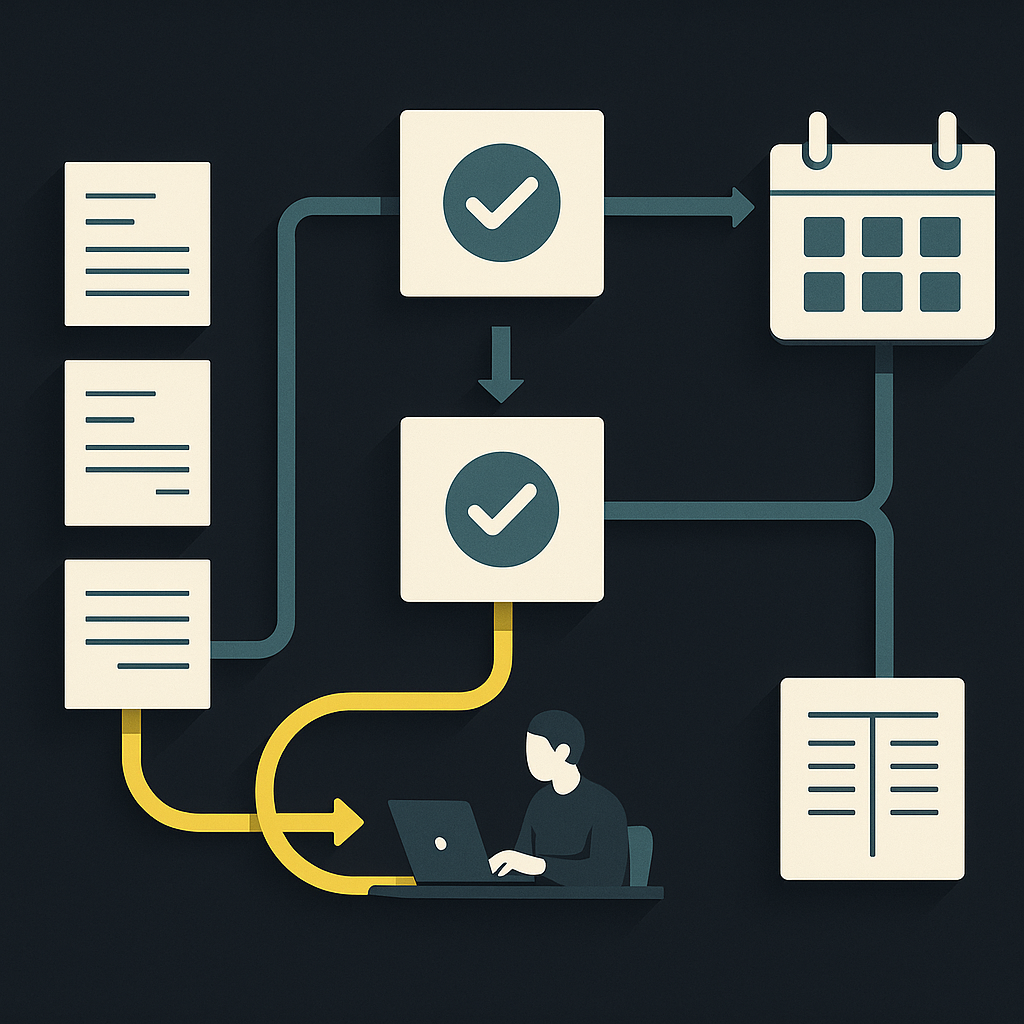
The supplier payment process is the sequence of controls and activities used to validate a supplier obligation, approve it, schedule and execute payment, and reconcile the result. It typically covers supplier setup, invoice capture, matching, approval, payment release, remittance, and accounting reconciliation.
For mid-market finance teams replacing email approvals and bank-portal uploads, the central challenge is not digitizing each step. It is ensuring that invoices move between steps early enough to meet agreed payment terms—without bypassing controls.
Design the process backward from the supplier’s contractual payment deadline. Every open invoice needs a current status, a responsible owner, a next action, and a deadline for that action. Automation becomes useful when it maintains those connections, not merely when it extracts invoice data.
Map the process around evidence, not inboxes
An invoice sitting in an approver’s inbox is not a meaningful operational status. Finance needs to know whether the obligation is valid, what is blocking it, and whether the remaining steps can finish before payment is due.
Use the following operating map as a starting point. The owners are suggested roles; adapt them to your organization’s responsibilities and segregation-of-duties policy.
| Stage | Accountable owner | Evidence needed to advance | Typical blocker |
|---|---|---|---|
| Supplier readiness | Vendor master owner | Approved supplier and verified payment details | Unverified bank change |
| Invoice capture | AP operations | Source document and validated invoice fields | Missing entity or invoice reference |
| Obligation validation | AP and receiving owner | Match result or documented service acceptance | Missing receipt or price variance |
| Business approval | Budget owner | Recorded authorization under policy | Unavailable approver |
| Payment scheduling | AP or treasury | Eligible payable, funding, and release date | Cash or cutoff constraint |
| Payment release | Authorized payment operator | Approved instruction and provider reference | Rejected or uncertain submission |
| Reconciliation | AP accounting | Payment evidence and invoice allocation | Return or unmatched transaction |
Keep the invoice, supplier record, approval evidence, and payment references connected. A spreadsheet that says “paid” without linking to the underlying transaction cannot reliably distinguish a completed payment from a submitted instruction.
Build a backward schedule for each payable
Payment terms determine the obligation’s deadline; the payment method determines how early execution must begin. Record the contractual due date separately from the planned release date.
Work backward through:
- Delivery requirements: Whether the agreement requires receipt of funds or another defined payment event by the due date.
- Payment execution: Applicable cutoffs, business calendars, expected processing time, and funding needs.
- Release controls: Time for payment authorization and resolution of changed supplier details.
- Invoice readiness: Time for matching, business approval, and exception resolution.
Do not hard-code a universal processing allowance. Domestic transfers, cross-border payments, and checks have different timing constraints. An urgent payment method cannot compensate for an invoice that nobody has approved.
HighRadius’s supplier payment guide discusses payment timing in relation to terms and working capital. Operationally, separate the decision to pay early from the ability to pay on time: evaluate an available discount against liquidity needs, funding costs, and any incremental payment charges.
Use remaining time, not just invoice age
A recently received invoice can be urgent if it arrived late relative to its due date. An older invoice may still be comfortably within terms.
Build a deadline-risk view that combines the due date, current blocker, required payment lead time, and remaining internal work. Escalate invoices when the planned release date is at risk—not only after they become overdue.
Make validation fit the obligation
Capture the supplier, invoiced legal entity, invoice reference, dates, currency, amounts, applicable tax fields, and supporting purchase-order references. Retain the original document and record corrections rather than silently replacing extracted values.
For goods purchased against a purchase order, a three-way match compares the invoice, purchase order, and receiving record. Fit Small Business’s AP best-practices guide describes this control as a way to check that invoiced purchases agree with what was ordered and received.
That model does not fit every payable. Services may require milestone acceptance or confirmation from a service owner. Recurring charges may need comparison with a contract and billing schedule. Non-PO invoices need an explicit authorization path rather than a fictitious receipt.
Configure tolerances by policy, with ownership and documented exceptions. A match within tolerance can establish eligibility for automated progression; it should not erase restrictions on supplier status or payment release.
Give exceptions an owner and a resolution rule
The normal path is straightforward. The operating model is tested when something goes wrong.
Each exception should carry a reason code, named owner, required evidence, next-action deadline, and escalation route. “On hold” alone is not enough.
- Missing receipt: Route to the receiving or service owner, not repeatedly back to AP.
- Price disagreement: Route to the buyer or contract owner, preserving the disputed and undisputed amounts.
- Supplier-detail change: Hold affected payments until independent verification is complete.
- Unavailable approver: Use a policy-authorized delegate with a recorded audit trail.
- Payment rejection: Assign investigation and correction before attempting another release.
A supplier self-service portal can reduce document chasing and status requests. Supplier-submitted changes should still enter the appropriate validation workflow; self-service is not automatic authorization.
Hypothetical example: a partial delivery
A supplier invoices the full purchase order, but receiving records only a partial delivery. The workflow should identify a quantity mismatch and assign it to the receiving owner.
If policy and the supplier agreement permit partial payment, AP can establish the approved amount and leave the disputed balance open. Otherwise, it should obtain the missing receipt, a corrected invoice, or a credit note before proceeding. Remittance must explain what the payment covers.
This is why “automatically approve matched invoices” is an incomplete specification. The system must also preserve balances and prevent later payment of an amount already settled.
Keep approval, payment, and reconciliation distinct
Business approval confirms that an obligation is authorized. Payment release authorizes a particular movement of money. Reconciliation connects the resulting transaction to the obligation and accounting records.
Maintain separate invoice and payment states. An approved invoice might remain unpaid; a submitted payment might be rejected; a completed transfer might still be unallocated in the ERP.
For grouped or partial payments, retain explicit allocations between payment references and invoices. Track fees, currency differences, credit notes, and returns separately rather than forcing a bank amount to match an invoice total.
When evaluating ERP and accounting integrations, ask which system owns each state, how failed updates are surfaced, and how replaying an update avoids duplicate records. Automatic synchronization does not remove the need to investigate unmatched items.
Measure process health without hiding the hard work
Choose metrics that expose delays and rework rather than rewarding a fast capture step:
- On-time payment rate: Measure against the agreed contractual payment event, not merely upload time.
- Time in each stage: Separate processing time from waiting for another team or supplier.
- Exception rate and aging: Segment by cause and owner to identify recurring upstream problems.
- Cost per invoice: Divide consistently scoped AP processing costs by the corresponding invoice volume. State whether technology, approval labor, and payment operations are included.
- Touchless processing rate: Define the start and end points, then report both the eligible invoice population and the overall population.
For a deeper treatment of that last distinction, see the guide to touchless invoice processing. A high automation rate for clean PO invoices does not establish that the entire supplier payment process is automated.
Turn the operating model into an automation brief
Before selecting or expanding software, use this implementation checklist:
- Document your main invoice types and the evidence required for each.
- Assign ownership for every stage, exception, and escalation.
- Separate due dates, planned release dates, and payment completion evidence.
- Define which changes invalidate prior approval or block release.
- Map invoice-to-payment allocations and reconciliation responsibilities.
- Baseline stage delays, exception causes, and consistently scoped costs.
- Pilot complete workflows, including disputes, partial payments, rejections, and failed accounting updates.
The goal is a payable whose next action is always clear. Once owners, deadlines, and evidence are explicit, automation can reduce manual handling without concealing unresolved obligations.
Payouts.com’s AP Automation connects invoice capture, approvals, and payment within its broader financial operating system. Bring your process map and exception cases to an evaluation, and ask to trace a payable from intake through payment and reconciliation—not just through a clean invoice demo.
Created with AI assistance. Sources are linked in the article; this content is general information, not legal, tax, or financial advice.
Discussion
3 commentsRelated resources
Touchless Invoice Processing: What It Really Means and How to Get From 0% to 80%+
Touchless invoice processing isn't a switch you flip — it's a rate you climb. Here's what it really means, how to measure it, and a step-by-step path from 0% to 80%+.
Supplier Payment Form: A Practical Template for AP Teams
A supplier payment form should collect payment-ready data without turning every invoice into another onboarding exercise. Use this field template and workflow checklist to connect supplier submissions to controlled AP processing.
Supplier Payment Solutions: Choose for Your Supplier Mix
The right supplier payment solution reduces work for both AP and suppliers. Compare platform models, uncover hidden operating costs, and build a rollout around the suppliers you actually pay.
Run your entire money cycle on one ledger
Global payouts, AP/AR automation, and AI agents with their own wallets and spend limits.
Get started
"An invoice sitting in an approver's inbox is not a meaningful operational status" - this is the sentence I'm printing out for our finance VP. We've been tracking approval queue length as a KPI and wondering why our on-time payment rate hasn't improved. We're measuring activity instead of outcomes.
I appreciate the nuance around different payment methods requiring different lead times, but the article glosses over how treasury actually manages this when you have 200 invoices due the same day across 15 currencies. The scheduling model works in theory but falls apart without some discussion of batching strategy and liquidity forecasting integration.
The backward scheduling point is critical but we've found the harder problem is actually getting accurate contract terms into the system in the first place. Half our vendor agreements don't specify net days clearly or they reference "receipt of goods" without defining what constitutes receipt. How are others handling vague contractual language when building these deadline-driven workflows?